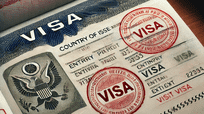
What Is An Electronic Visa (E-Visa)?
An Electronic Visa (E-Visa) is a digital travel authorization issued by a country’s immigration authorities that allows foreign nationals to enter, transit, or stay in the issuing country for a specified period. Unlike traditional visas that are stamped or affixed to a passport, an E-Visa is linked electronically to the traveler’s passport and can be applied for and received online. E-Visas are designed to streamline the visa process, reduce paperwork, and enhance border security. They usually require applicants to submit personal information, passport details, travel plans, and sometimes biometric data or supporting documents. Once approved, travelers receive confirmation via email, which can be presented during immigration checks.
How Do Electronic Visas Work?
Electronic Visas operate through an online platform maintained by the issuing country. Applicants submit all required details and supporting documents electronically. The system then verifies the information against security and immigration databases. Upon approval, the E-Visa is digitally linked to the applicant’s passport number, eliminating the need for physical stamping. Immigration officers access the traveler’s visa information through electronic systems at entry points. Travelers are advised to carry a digital or printed copy of the approval notice, depending on the country’s regulations. Some countries require a printed copy as backup in case of technical issues, while others accept only the electronic verification.
Do I Need A Printed Copy Of My E-Visa?
Whether a printed copy of an E-Visa is required depends on the country of destination and the specific guidelines of its immigration authorities. Many countries recommend carrying a printed copy as a precaution, even if the visa is electronically linked to the passport. A printed copy ensures that travelers can present proof of authorization in case of internet outages, technical glitches, or discrepancies at immigration checkpoints. Some airlines may also require a printed copy during boarding. Although most E-Visas are verified digitally, having a hard copy provides peace of mind and minimizes delays, making it a practical step for all travelers.
Advantages Of Having A Printed E-Visa
Carrying a printed E-Visa offers several advantages. It serves as a tangible proof of entry permission, preventing potential issues at airports or border crossings where electronic systems may malfunction. A printed copy is especially useful for travelers visiting countries with limited internet connectivity or for those who may need to provide documentation during travel inspections. Additionally, it can be kept in a separate location from your passport, providing security in case of theft or loss. Some countries require presentation of the printed E-Visa to validate travel insurance, hotel check-ins, or local permits, making it a versatile and essential travel document.
Potential Issues Without A Printed E-Visa
Not carrying a printed copy of your E-Visa can sometimes lead to complications. Although the visa is electronically stored, technical failures at immigration checkpoints can delay entry. Travelers may face questioning or additional verification if authorities cannot access the E-Visa information immediately. In rare cases, airlines might refuse boarding if proof of the visa is not presented in physical form. For travelers unfamiliar with digital processes or in regions with limited digital infrastructure, the absence of a printed copy can cause stress and unnecessary delays. Therefore, having a printed copy ensures smoother travel and avoids potential bureaucratic hurdles.
Best Practices For Carrying Your E-Visa
Travelers should adopt several best practices regarding E-Visas. Firstly, always print a copy of the E-Visa and keep it with your travel documents. Secondly, store a digital version on your smartphone or cloud storage as a backup. Thirdly, confirm the destination country’s official guidelines on E-Visa presentation to comply with specific requirements. Fourthly, check airline policies to see if a printed visa is necessary during boarding. Lastly, ensure that the printed document is clear and legible to avoid misunderstandings. By following these steps, travelers can enjoy a hassle-free journey, reducing the risk of entry delays and ensuring compliance with immigration protocols.
Conclusion
While Electronic Visas simplify the travel authorization process, carrying a printed copy is a smart precaution. It provides tangible proof of approval, facilitates smooth airport and border procedures, and acts as a backup in case of technical issues. Even if not explicitly required by the destination country, a printed E-Visa enhances traveler confidence and ensures compliance with airline and immigration policies. Combining printed copies with digital backups represents a best practice for modern travel, safeguarding against unforeseen circumstances and making your journey as seamless as possible.
Frequently Asked Questions
1. Do I Need A Printed Copy Of My Electronic Visa (E-Visa)?
Yes, carrying a printed copy of your E-Visa is strongly recommended. While most countries link your visa electronically to your passport, a printed copy acts as a tangible proof of authorization in case of technical failures at immigration checkpoints or airline boarding. It ensures that travelers can provide evidence of entry permission during inspections and reduces the risk of delays. Some countries and airlines may explicitly request a physical copy, making it a practical precaution. Additionally, a printed copy can serve as a backup if your electronic devices fail or lose connectivity. It’s a simple step to ensure a hassle-free travel experience.
2. Can I Travel With Only An Electronic E-Visa?
Yes, in many cases, traveling with only an electronic E-Visa is acceptable since it is linked to your passport in immigration systems. However, reliance solely on digital verification can pose risks if systems malfunction, internet connectivity is unavailable, or immigration officers require physical proof. Airlines may also request a printed copy for boarding purposes. Carrying a physical copy in addition to the digital version provides peace of mind and helps prevent delays or complications. Therefore, while an electronic E-Visa alone may suffice, combining it with a printed copy ensures a smoother and more secure travel experience.
3. Which Countries Require A Printed E-Visa?
Requirements vary by country. Some nations, like India and Turkey, recommend carrying a printed copy, while others, such as Australia or the United Arab Emirates, rely solely on electronic verification. Always check the official government or immigration website of your destination country before traveling. Airlines may also have specific requirements that differ from national regulations. To avoid complications, travelers should print their E-Visa regardless of official requirements, as this provides a tangible backup. Understanding the rules of both the destination country and airline ensures compliance and smooth entry procedures, especially in regions with limited digital infrastructure.
4. How Do I Print My E-Visa Correctly?
Printing an E-Visa involves downloading the approved document from the official immigration portal and ensuring it is legible and clear. Use high-quality paper and ink to avoid smudging or fading. Make sure all personal information, passport number, and approval codes are visible. Some countries require a specific format, so follow instructions precisely. Keep the printed copy in a secure and easily accessible location during travel. Carrying multiple copies is also advisable, one with your passport and one stored separately. This preparation ensures that your printed E-Visa can be presented confidently and without issue during immigration or airline verification.
5. What Should I Do If I Lose My Printed E-Visa?
If you lose your printed E-Visa, first check your email for the confirmation sent by the immigration authorities. You can usually reprint the document from the official E-Visa portal using your application number and passport details. Keep a digital copy on your phone or cloud storage as a backup to avoid future loss. Contact the airline and immigration authorities if traveling soon to confirm whether additional steps are required. It’s essential to maintain multiple copies and store them securely to prevent loss or damage. Being proactive ensures that your travel plans remain uninterrupted and compliant with entry requirements.
6. Can Airlines Deny Boarding Without A Printed E-Visa?
Yes, some airlines may deny boarding if a printed copy of the E-Visa is not presented, even if the visa is electronically linked to your passport. Airline staff often check for documentation before allowing passengers to board international flights. Having a printed E-Visa ensures compliance with airline policies, prevents unnecessary delays, and avoids potential penalties. To ensure a smooth boarding process, always carry a clear, legible printed copy in addition to digital backups. Confirm the airline’s requirements before travel, as these rules can vary by carrier and destination, making preparation crucial for a hassle-free journey.
7. Is It Safe To Store My E-Visa Digitally Only?
Storing your E-Visa digitally is generally safe, but relying solely on electronic copies carries risks. Devices can fail, lose power, or encounter connectivity issues, preventing access to your visa during critical moments. Some immigration authorities may prefer or require a printed copy, making digital-only storage insufficient. Combining digital storage with a printed backup mitigates risks and ensures compliance with both airline and immigration requirements. Secure cloud storage or email backups offer redundancy, while a printed copy guarantees accessibility even in areas with limited digital infrastructure. Using both methods provides maximum safety and travel confidence.
8. How Long Should I Keep My Printed E-Visa?
You should keep your printed E-Visa until your travel is fully completed, including departure from the destination country and return home. Some countries may require the E-Visa for verification during exit or for extending stays. Retaining the printed copy ensures proof of authorization throughout your journey and helps resolve any questions or issues that may arise at borders. After travel, store the printed E-Visa securely for records, as it may be needed for future visa applications or immigration processes. Keeping the document accessible and intact is a prudent practice for both compliance and personal reference.
9. Can A Printed E-Visa Be Used As Proof Of Identity?
No, a printed E-Visa alone does not serve as proof of identity; it only proves travel authorization. Travelers must always carry their valid passport, which serves as the official identification document. The printed E-Visa complements the passport by providing evidence of visa approval, entry permission, and authorized stay. Presenting both documents together ensures that immigration authorities can verify both your identity and travel authorization quickly. Relying solely on a printed E-Visa without a passport is insufficient and may result in denied entry. Maintaining both documents ensures compliance and a smooth travel experience.
10. Are There Fees For Printing An E-Visa?
Printing an E-Visa generally does not involve fees beyond your own printing costs, such as paper and ink. The E-Visa application itself may have fees set by the destination country’s immigration authority, but once approved, printing is typically free. Using high-quality paper and ensuring legibility may incur minor personal costs but significantly improves the usability of the document. Travelers should consider the small expense of printing worthwhile, as it reduces potential issues at airports or border crossings. Maintaining a clear, professional-looking printed copy is a practical investment in hassle-free international travel.
11. Should I Carry Multiple Printed Copies Of My E-Visa?
Yes, carrying multiple printed copies of your E-Visa is advisable. Keep one copy with your passport, another in your luggage, and a third in a secure location. This redundancy protects against loss, damage, or misplacement. In case one copy is unavailable during checks, you have immediate alternatives to present. Multiple copies also accommodate travel companions or local authorities who may request separate documentation. By having duplicates, travelers minimize stress, prevent delays, and ensure compliance with immigration and airline requirements. This simple strategy significantly enhances travel convenience and security, especially for long journeys or complex itineraries.
12. Can I Use A Printed E-Visa For Hotel Check-In?
In many countries, hotels may request to see your visa upon check-in, particularly for international guests. A printed E-Visa serves as proof of legal entry and authorized stay, facilitating the registration process. While some hotels can verify E-Visas electronically, a physical copy ensures smooth check-in, especially in locations with limited internet access. Presenting a printed copy along with your passport is often required for records or compliance with local regulations. Maintaining a clear, accessible printed E-Visa avoids complications, ensures a hassle-free stay, and aligns with the practices of both immigration and hospitality services.
13. How Does A Printed E-Visa Help During Immigration Checks?
A printed E-Visa helps during immigration checks by providing immediate, tangible evidence of your entry authorization. While most immigration systems can verify the visa electronically, technical failures, connectivity issues, or system delays can occur. Having a printed copy allows officers to manually confirm your visa details, reducing wait times and preventing misunderstandings. It also facilitates smoother questioning regarding your stay, travel purpose, and entry validity. Carrying a printed E-Visa alongside your passport ensures compliance with regulations, provides a clear record of approval, and enhances travel efficiency, making border crossings faster and less stressful.
14. Can A Printed E-Visa Be Lost Or Damaged?
Yes, like any paper document, a printed E-Visa can be lost, torn, or damaged. To prevent complications, it is advisable to carry multiple copies and store them securely in different locations, such as inside your passport cover and in a travel bag. Protect the document from water, folding, and excessive handling. Digital backups on your phone or cloud storage also provide additional security in case of loss or damage. Being proactive ensures that you have access to your E-Visa whenever required, avoiding delays at airports, immigration checkpoints, or hotels, and maintaining compliance with travel regulations.
15. Are Digital Backups Enough Without Printing?
Digital backups alone are often sufficient in countries with reliable electronic verification systems. However, relying solely on digital copies carries risks, including device failure, battery depletion, or connectivity issues. Certain airlines or countries may still require a printed E-Visa as proof. Therefore, combining digital backups with a printed copy is considered best practice, ensuring continuous accessibility and compliance. Maintaining both versions reduces stress, prevents delays, and guarantees that travelers can present valid documentation under all circumstances. A printed copy provides peace of mind, complementing digital storage for a secure and smooth travel experience.
16. How Can I Verify My E-Visa Before Printing?
You can verify your E-Visa by checking the official confirmation email or portal provided by the issuing country’s immigration authority. Ensure your passport number, personal details, visa validity, and entry information are correct. Some countries provide a verification code or QR code to scan at border checkpoints. Confirming all details prior to printing avoids errors that could complicate travel. If discrepancies are found, contact the immigration authority immediately to correct them. Verification ensures that the printed copy accurately reflects the official approval, preventing potential issues at immigration, airlines, or other checkpoints during your journey.
17. Do Airlines Accept Digital E-Visas Only?
Acceptance of digital E-Visas varies by airline and country. While many airlines can scan electronic approvals, some still require passengers to present a printed copy for boarding. Checking the airline’s specific documentation requirements before travel is essential to prevent denied boarding. A printed E-Visa guarantees compliance with airline policies, reduces stress during check-in, and provides a fallback in case electronic systems fail. Combining digital copies with a printed version is the safest approach. Travelers who follow both practices minimize complications, ensuring a smooth start to their journey and meeting both airline and immigration standards efficiently.
18. What Are The Risks Of Not Printing My E-Visa?
Not printing your E-Visa can result in delays, denied boarding, or complications at immigration checkpoints. Technical failures, internet outages, or system errors can prevent authorities from accessing your visa electronically. Airlines may also require a printed copy before allowing boarding. Travelers without a printed E-Visa risk additional questioning, extended waiting times, or even refusal of entry in certain countries. Maintaining a printed copy mitigates these risks, providing a tangible, universally accepted document that supports your electronic approval. This precaution ensures a smoother travel experience, reduces stress, and safeguards against bureaucratic or technical obstacles during international journeys.
19. Can I Carry My E-Visa On My Phone Instead Of Printing?
Yes, you can carry your E-Visa on your phone as a digital copy, which many countries accept. However, device failure, low battery, or connectivity problems can create challenges at immigration checkpoints or airlines. Some authorities may insist on a printed copy to verify entry authorization quickly. Carrying both digital and printed versions ensures maximum readiness and compliance. Using a phone as a backup is convenient, but relying solely on it can pose risks. Combining electronic storage with a printed copy guarantees accessibility in all scenarios, allowing travelers to confidently navigate borders and airline requirements without unnecessary delays or complications.
20. How Important Is It To Follow Destination Country Guidelines For E-Visas?
Following the destination country’s guidelines is extremely important to ensure smooth entry and avoid penalties. Each country sets specific requirements regarding whether a printed E-Visa is necessary, how it should be presented, and what supporting documents are required. Ignoring these guidelines may result in denied boarding, delays, or fines. Travelers should consult official immigration websites and airline policies before departure. Adhering to the rules guarantees compliance, minimizes stress, and ensures a hassle-free experience. Carrying both printed and digital copies of your E-Visa is generally the safest practice, allowing travelers to meet all regulatory and practical requirements during international travel.
FURTHER READING
- Is An Electronic Visa (E-Visa) Safe To Use? | All About E-Visa Safety
- Can I Extend My Electronic Visa (E-Visa)? | Everything About E-Visa extension
- Advantages and Disadvantages Of Using An Electronic Visa (E-Visa)
- What Are The Benefits And Risks Of Using An Electronic Visa (E-Visa)?
- What Is The Validity Period Of An Electronic Visa (E-Visa)?
- How Much Does An Electronic Visa (E-Visa) Cost?
- How Long Does It Take To Get An Electronic Visa (E-Visa)?
- What Are The Eligibility Requirements For Obtaining An Electronic Visa (E-Visa)?
- How To Apply For And Get An Electronic Visa (E-Visa)
- How Does An Electronic Visa (E-Visa) Work?
- What Is An Electronic Visa (E-Visa)? | Definition, Benefits, Challenges, Workings, Eligibility Requirements, Validity, Duration, How To Apply For An Electronic Visa (E-Visa)