
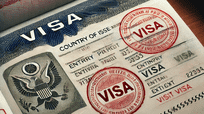
What Is An Electronic Visa (E-Visa)?
An Electronic Visa, commonly known as an E-Visa, is a digital authorization that allows travelers to enter a foreign country without obtaining a traditional stamped visa in their passport. E-Visas are issued online through government portals, eliminating the need to visit embassies or consulates physically. They are linked electronically to the traveler’s passport, making the process faster, more convenient, and secure. Travelers receive a confirmation via email, often in PDF format, which must be presented at immigration checkpoints. E-Visas are designed to streamline border control procedures, reduce paperwork, and enhance security by allowing governments to pre-screen travelers before arrival.

How Does An E-Visa Work On A Mobile Device?
E-Visas can be accessed and stored on smartphones, tablets, or other mobile devices, typically in PDF or screenshot form. When traveling, passengers can present their E-Visa on their mobile device at the immigration counter. Immigration officers scan or verify the visa electronically, matching it with the traveler’s passport. Many countries encourage digital presentation to save time, though some may request a printed copy as a backup. Mobile devices must be charged and the E-Visa easily accessible to avoid delays. Travelers should also ensure the device’s screen is clear, readable, and free from cracks, as damaged screens can hinder verification.
Benefits Of Traveling With An E-Visa On A Mobile Device

Traveling with an E-Visa on a mobile device offers several advantages. First, it reduces the risk of losing a physical visa document. Second, it allows for quick access and easy retrieval, especially when airport lines are long. Third, travelers can store multiple travel documents on the device, including passports, flight tickets, and health records, creating a seamless travel experience. Additionally, electronic storage reduces environmental impact compared to printed visas. Finally, mobile E-Visas often integrate with airline apps and immigration systems, allowing for faster processing and real-time status updates, making international travel more efficient and stress-free.
Countries Accepting Mobile E-Visas
Many countries now accept E-Visas presented via mobile devices. Popular destinations include India, Turkey, Kenya, Australia, and several Southeast Asian countries. Each country has specific rules regarding mobile E-Visa presentation, including file format, screen size requirements, and backup documentation. Travelers should always verify the official government immigration website for current rules, as policies can change. While mobile E-Visa acceptance is increasing globally, carrying a printed backup is recommended for countries where electronic presentation may not be fully integrated or where connectivity issues could hinder access.
Security Tips For Using Mobile E-Visas
To ensure the security of your E-Visa on a mobile device, store the document in a secure, encrypted folder or a trusted travel app. Avoid sharing it through unsecured channels such as public Wi-Fi or unverified email accounts. Always backup the E-Visa in cloud storage or on an alternative device. Screen locks, passwords, and biometric security features protect the visa from unauthorized access. Additionally, confirm the authenticity of any E-Visa received via email by checking the issuing government portal. Being cautious about phishing scams and fraudulent visa notifications is essential to prevent travel disruptions.
Preparing Your Mobile Device For Travel
Before traveling, ensure your mobile device is fully charged and the E-Visa is easily accessible. Save it in multiple formats such as PDF and screenshot for redundancy. Update your operating system and any relevant travel apps to prevent technical issues at immigration checkpoints. Disable battery-draining apps and enable airplane mode when necessary. Consider carrying a portable power bank and a secondary device if possible. Organize your E-Visa along with other digital travel documents like flight tickets, hotel reservations, and travel insurance for smooth presentation. Being well-prepared ensures you meet immigration requirements without unnecessary delays.
Common Challenges Of Mobile E-Visa Travel
Traveling with a mobile E-Visa can present challenges such as device malfunction, low battery, screen damage, or file corruption. Some immigration officers may be unfamiliar with digital visas, causing delays. Internet connectivity is not always guaranteed, and some countries may require a printed copy as backup. Travelers may face compatibility issues if the E-Visa is stored in a format not recognized by the immigration system. Understanding these potential challenges and preparing contingencies like printed copies or secondary devices can prevent travel disruptions and ensure a smooth border crossing experience.
Tips To Ensure Smooth Immigration Process With Mobile E-Visa
To avoid issues at immigration, always check the latest guidelines of the destination country regarding mobile E-Visa presentation. Keep your device charged and the E-Visa easily accessible on the home screen. Carry a printed backup if required, and familiarize yourself with airport procedures in advance. Ensure your passport matches the E-Visa information exactly. Be courteous and patient with immigration staff, and follow their instructions carefully. Using a dedicated travel app or digital wallet can streamline document retrieval and reduce anxiety at the border. Proper preparation ensures a hassle-free experience while traveling with a mobile E-Visa.
Conclusion
Traveling with an E-Visa on a mobile device is increasingly convenient, secure, and environmentally friendly. While mobile presentation is widely accepted, travelers should remain cautious and prepared for potential challenges. Ensuring device functionality, following country-specific guidelines, and carrying backup documents guarantees a smooth immigration process. By understanding the nuances of mobile E-Visa travel, you can enjoy a seamless international journey while minimizing stress and delays.
Frequently Asked Questions
1. Can I Travel With An Electronic Visa (E-Visa) On A Mobile Device?
Yes, you can travel with an electronic visa (E-Visa) on a mobile device in most countries that accept digital visa presentation. E-Visas issued online can be stored in PDF format or as screenshots on smartphones or tablets. Immigration officers verify the visa electronically against your passport. However, some countries may require a printed copy as a backup, so it is recommended to carry one just in case. Ensure your device is charged, the E-Visa file is easily accessible, and the screen is clear and readable. Keeping multiple digital copies and using secure storage apps enhances convenience and reduces the risk of document loss during travel.
2. How Do I Apply For An E-Visa Online For Mobile Use?
Applying for an E-Visa online involves visiting the official government immigration website of your destination country. Complete the application form with accurate personal information, passport details, and travel dates. Pay the required fees online using secure payment methods. Once approved, you will receive the E-Visa via email in PDF format, which can be saved to your mobile device. Some countries offer official apps for storing and presenting your visa digitally. Always verify that the E-Visa matches your passport information and store backups in case of technical issues. Follow any specific mobile presentation guidelines provided by the immigration authorities to ensure a smooth entry.
3. What Are The Requirements To Travel With A Mobile E-Visa?
To travel with a mobile E-Visa, you need a valid passport, an approved electronic visa linked to your passport, and a device capable of displaying the visa clearly. Ensure the mobile device is fully charged, functional, and free from damage that may hinder screen readability. Some countries recommend carrying a printed backup copy. Familiarity with the immigration process and any country-specific E-Visa requirements, such as file format or presentation method, is essential. Storing the E-Visa securely and having backup digital copies in cloud storage or another device helps prevent disruptions. Additionally, always verify your travel documents match exactly to avoid delays at border control.
4. Can I Use My Mobile Device If My Passport Is Expired?
No, a mobile E-Visa cannot be used if your passport is expired. The E-Visa is electronically linked to a valid passport, and immigration authorities will deny entry if the passport is invalid. Travelers must ensure their passport is valid for the duration required by the destination country, which often ranges from six months to a year beyond the planned stay. Renew an expired passport before applying for or using an E-Visa. Both the mobile device and the passport must be ready and in compliance with the country’s regulations to avoid travel delays or denial of entry.
5. What Happens If My Mobile Device Malfunctions During Immigration?
If your mobile device malfunctions during immigration, presenting your E-Visa may become impossible. To mitigate this risk, carry a printed backup copy of the E-Visa. Ensure the device is charged, has a protective case, and is functioning properly before travel. Some airports provide assistance or kiosks to display digital visas, but policies vary by country. Having multiple copies stored on another device or cloud storage ensures quick retrieval. If an issue occurs, remain calm, inform immigration officers promptly, and present alternative documentation. Being prepared reduces the likelihood of entry denial or unnecessary delays.
6. Are All Countries Accepting Mobile E-Visas?
Not all countries accept mobile E-Visas. While many nations, such as India, Turkey, Kenya, and Australia, allow digital presentation, others may require a printed visa or additional documentation. Rules are country-specific and can change without notice. Before traveling, check the official immigration website for the destination country to confirm if mobile E-Visa presentation is accepted. Even when accepted, having a printed backup is recommended to ensure smooth entry. Compliance with each country’s guidelines reduces risk of denial or delays at immigration checkpoints.
7. Is It Safe To Store My E-Visa On A Mobile Device?
Yes, storing your E-Visa on a mobile device is generally safe if proper precautions are taken. Save the file in a secure folder or trusted travel app, enable device passwords or biometric security, and avoid public Wi-Fi for access. Backup copies in cloud storage or a secondary device provide redundancy. Regularly check the E-Visa for accuracy and authenticity via the issuing government portal. Being cautious against phishing or fraudulent E-Visa emails prevents potential scams. Following these practices ensures that your digital visa remains secure and accessible during your journey.
8. How Long Does It Take To Receive An E-Visa After Application?
Processing times for E-Visas vary by country, typically ranging from a few hours to several days. Some countries offer expedited processing for urgent travel. After submitting the online application and payment, applicants usually receive confirmation via email. The approved E-Visa can then be downloaded to a mobile device for travel use. Delays may occur due to additional verification, incomplete information, or high application volume. It is advisable to apply well in advance of travel dates and verify the official processing times for your destination country to ensure a smooth travel experience.
9. Do I Need To Print My E-Visa Even If I Have It On My Mobile?
Printing your E-Visa is recommended even if your mobile device displays it. Some countries or specific airports may not accept digital visas or may require a printed copy as a backup. Printed E-Visas help avoid delays caused by device malfunction, battery issues, or screen damage. Keeping multiple formats of the visa—PDF on a device, cloud backup, and printed copy—ensures preparedness. Confirm the destination country’s guidelines to understand if printing is mandatory. This approach minimizes stress and provides a reliable way to present your visa during border checks or unforeseen emergencies.
10. Can Airlines Accept Mobile E-Visas For Boarding?
Airlines may accept mobile E-Visas, but policies vary. Many carriers require travelers to show a valid visa, either digitally or printed, before boarding. Checking the airline’s travel requirements in advance is crucial to avoid boarding issues. Storing the E-Visa on your mobile device along with flight tickets and identification allows quick verification. If airlines request printed documentation, ensure you have a hard copy available. Proper preparation and compliance with airline and country-specific regulations guarantee a smooth boarding process without last-minute disruptions.
11. Are There Any File Format Requirements For Mobile E-Visas?
Yes, mobile E-Visas must be in an acceptable format, usually PDF or image files like JPEG or PNG. Some countries have specific guidelines regarding file size, resolution, and compatibility with immigration scanning systems. Storing the visa in multiple formats can prevent technical issues at checkpoints. Ensure the file is easily readable on your device’s screen and that it is not corrupted or password-protected unless allowed. Following the issuing authority’s format instructions helps guarantee smooth verification at immigration.
12. How Can I Ensure My Mobile E-Visa Is Valid At Arrival?
To ensure validity, verify that the E-Visa matches your passport details exactly, including name, passport number, and nationality. Check expiration dates, entry limits, and visa type. Always download the E-Visa from the official government portal, not third-party sources. Keep backup copies stored in a secure location or cloud service. Confirm country-specific requirements such as format, presentation method, or additional supporting documents. Carry printed copies if recommended. Being meticulous about verification prevents denial of entry and ensures a seamless travel experience with your mobile E-Visa.
13. Can I Share My Mobile E-Visa With Others?
No, sharing your mobile E-Visa is not allowed. E-Visas are issued specifically for the traveler whose passport information matches the visa. Presenting a visa belonging to another person is illegal and will result in denied entry. Keep your E-Visa confidential and secure, stored only on trusted devices. Using secure cloud services for backup is acceptable, but sharing login credentials or documents with third parties is prohibited. Maintaining strict control over your digital visa prevents travel complications and ensures compliance with international immigration laws.
14. What Should I Do If I Lose My Mobile Device Before Traveling?
If your device is lost, immediately access your E-Visa from a backup device or cloud storage. Contact the issuing government portal to verify the status of your visa and request a replacement if necessary. Ensure any lost device is remotely locked or wiped to protect personal information. Carry a printed copy of the E-Visa if available. Taking prompt action minimizes disruption to travel plans. Being proactive in securing and backing up your visa ensures you can still travel even if the primary device is unavailable.
15. Are Mobile E-Visas Environmentally Friendly?
Yes, mobile E-Visas reduce paper usage and the environmental impact associated with traditional visa printing. Digital visas minimize the need for physical documents, ink, and transportation of paperwork. By storing and presenting visas electronically, travelers contribute to a more sustainable travel process. This approach aligns with global efforts to reduce waste and promote eco-friendly practices. Despite the environmental benefits, carrying a printed backup may still be necessary for practical reasons in certain countries.
16. Can I Travel With Multiple Mobile E-Visas At Once?
Yes, travelers with multiple visas can store them on the same mobile device, provided they are organized and accessible. Each E-Visa must correspond to its respective passport and entry requirements. Use folders, travel apps, or cloud storage to keep documents secure and easy to retrieve. Ensure that immigration officers can quickly access the correct visa for verification. Proper organization prevents confusion, delays, and compliance issues when traveling to multiple countries in one trip.
17. Do Mobile E-Visas Expire?
Yes, mobile E-Visas have expiration dates, just like printed visas. Travelers must enter the destination country before the visa expires and comply with the duration of stay allowed. Expired E-Visas will be rejected at immigration checkpoints. Always check the validity period upon approval and plan travel accordingly. Digital reminders or calendar alerts can help monitor expiration dates. Staying aware of E-Visa validity ensures legal compliance and avoids entry denial or fines.
18. How Do I Handle Technical Issues With Mobile E-Visas Abroad?
If technical issues occur abroad, use backup devices or printed copies of the E-Visa. Contact the issuing government portal or local embassy for guidance. Ensure the device is updated and compatible with local networks. Cloud backups and secure email storage provide additional redundancy. In case of device failure, remaining calm and following immigration instructions is essential. Preparation with multiple formats ensures smooth verification despite unforeseen technical difficulties.
19. Can I Use A Tablet Instead Of A Smartphone For My E-Visa?
Yes, tablets are suitable for displaying E-Visas, provided the screen is readable and device functions properly. Ensure the tablet is fully charged, carries backup copies, and is compatible with immigration scanning methods. Tablets often provide larger displays, which can make verification easier. Keep the device secure and ready for presentation at checkpoints. Following country-specific guidelines ensures smooth travel with a tablet-stored E-Visa.
20. Are There Any Travel Insurance Requirements For Mobile E-Visa Holders?
Some countries may require proof of travel insurance for E-Visa approval or entry. While not specifically tied to mobile E-Visas, carrying insurance coverage ensures compliance with immigration regulations and provides protection for unforeseen events. Store digital or printed copies of insurance documents along with your E-Visa. Verification may occur at immigration checkpoints, so accessible records streamline the process and enhance travel security.
FURTHER READING
- Can I Apply For An Electronic Visa (E-Visa) On Behalf Of Someone Else?
- How To Check The Status Of Your Electronic Visa (E-Visa)?
- Should I Choose An Electronic Visa (E-Visa) Or A Traditional Visa?
- Electronic Visa (E-Visa) vs. Physical Visa: Which One Is Better?
- What Is The Difference Between An Electronic Visa (E-Visa) And A Regular Visa?
- Do I Need A Printed Copy Of My Electronic Visa (E-Visa)?
- Is An Electronic Visa (E-Visa) Safe To Use? | All About E-Visa Safety
- Can I Extend My Electronic Visa (E-Visa)? | Everything About E-Visa extension
- Advantages and Disadvantages Of Using An Electronic Visa (E-Visa)
- What Are The Benefits And Risks Of Using An Electronic Visa (E-Visa)?
- What Is The Validity Period Of An Electronic Visa (E-Visa)?
- How Much Does An Electronic Visa (E-Visa) Cost?
- How Long Does It Take To Get An Electronic Visa (E-Visa)?