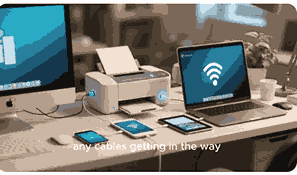
Wireless printers have become an essential device for modern homes and offices because they allow users to print without needing direct physical connections like USB cables. A wireless printer connects to your Wi-Fi network or Bluetooth-enabled devices, enabling seamless printing from laptops, smartphones, and tablets. With the rise of remote work and mobile technology, the demand for wireless printing solutions has grown significantly. This guide will explain everything about wireless printers, including their features, benefits, setup, and common issues, ensuring you have all the knowledge required to choose and use one effectively.
What Is A Printer?
A printer is an electronic output device that converts digital documents, images, or text stored on a computer or other device into physical copies on paper. Printers vary in type and function, ranging from basic inkjet and laser models to multifunction printers that also copy, scan, and fax. While traditional printers rely on wired connections like USB or Ethernet cables, advancements in technology have introduced wireless options that provide flexibility and convenience. Understanding the evolution of printers, from dot-matrix to modern wireless systems, helps users appreciate how much more efficient printing has become.
How Does A Wireless Printer Work?
Wireless printers function by connecting to a Wi-Fi network or through Bluetooth, eliminating the need for physical cables between devices and the printer. Once connected, users can send documents from computers, smartphones, or tablets directly to the printer. Many wireless printers also support cloud-based printing, allowing remote printing from services such as Google Cloud Print or Apple AirPrint. The printer receives digital signals over the network and processes them into print commands, producing hard copies. This makes it easier for multiple users in a household or office to share one printer, reducing clutter and improving efficiency.
Types Of Wireless Printers
Wireless printers come in different forms, each designed to suit specific printing needs. Inkjet wireless printers are popular for home use because they produce high-quality text and images. Laser wireless printers, on the other hand, are ideal for offices due to their speed and cost efficiency for bulk printing. Multifunction wireless printers combine printing, scanning, faxing, and copying into one device, making them versatile solutions. Portable wireless printers are small and lightweight, suitable for travelers who need on-the-go printing. Each type of wireless printer is built with unique features, and choosing the right one depends on usage, budget, and print volume.
Benefits Of A Wireless Printer
A wireless printer offers many benefits that make it more convenient than traditional wired printers. One of the biggest advantages is flexibility since users can print from anywhere within the Wi-Fi coverage area. This eliminates the restrictions of cables and allows multiple devices to connect simultaneously. Wireless printers also reduce clutter in workspaces and are compatible with smartphones, tablets, and cloud services. Additionally, they often include advanced features like duplex printing, mobile apps, and energy-saving functions. For businesses, wireless printers enable efficient document sharing among employees, while home users enjoy ease of use and accessibility without being tied to one computer.
How To Set Up A Wireless Printer
Setting up a wireless printer typically involves connecting it to your Wi-Fi network and configuring it with your devices. Most modern printers include a built-in display screen where you can navigate to the wireless setup menu. After selecting your Wi-Fi network and entering the password, the printer connects to the network. Then, install the printer drivers or software on your computer, laptop, or mobile device to complete the setup. Some printers also support WPS (Wi-Fi Protected Setup), which allows you to connect quickly by pressing a button on your router. Following manufacturer instructions ensures a smooth setup process.
Common Problems With Wireless Printers
Like any technology, wireless printers can experience issues that may affect performance. One common problem is connectivity failure, where the printer cannot connect to the Wi-Fi network due to signal strength or incorrect password entry. Another issue is print jobs getting stuck in the queue, often caused by outdated drivers or software conflicts. Slow printing speeds may occur when the network is congested or the printer is processing large files. Compatibility problems with certain devices can also arise. Troubleshooting these issues involves checking network settings, updating software, restarting devices, and ensuring the printer firmware is up to date.
Wireless Printers Vs Wired Printers
Wireless printers and wired printers both serve the same function but differ in connectivity and convenience. Wired printers rely on direct USB or Ethernet connections, ensuring stable performance and faster data transfer. They are often preferred in offices with high-volume printing where speed and reliability are critical. Wireless printers, however, provide more flexibility since they allow printing from multiple devices without cables. They are suitable for households and businesses that value mobility and a clean workspace. The choice between wired and wireless depends on user needs, budget, and whether flexibility or stability is the priority.
Features To Look For In A Wireless Printer
When choosing a wireless printer, several features should be considered to ensure it meets your needs. Print speed is important for offices with high workloads, while print quality matters for photos and graphics. Multifunctional capabilities like scanning and faxing add value. Wireless connectivity options, such as Wi-Fi Direct, AirPrint, or Google Cloud Print, improve compatibility with mobile devices. Paper handling capacity and duplex printing can also impact efficiency. Additionally, look for cost-saving features like energy efficiency and affordable replacement cartridges. A good wireless printer balances performance, convenience, and operating costs, making it suitable for both home and office use.
Security Concerns With Wireless Printers
Wireless printers connected to networks can be vulnerable to cyber threats if not properly secured. Hackers may exploit weak security settings to access confidential documents or gain entry into the network. To prevent this, users should enable encryption, change default passwords, and update firmware regularly. Disabling remote printing features when not needed also reduces risks. Businesses handling sensitive information should implement firewalls and secure printer access controls. While wireless printing provides convenience, addressing potential security concerns is essential to safeguard privacy and prevent unauthorized access. Proper configuration ensures the printer remains secure while functioning efficiently.
Conclusion
Wireless printers represent a significant advancement in printing technology, offering flexibility, convenience, and efficiency for both home and business users. They eliminate the need for physical connections, allowing printing from multiple devices, including smartphones and tablets. By understanding how wireless printers work, their benefits, and potential challenges, users can make informed decisions when selecting one. Whether you need a compact model for personal use or a multifunction printer for office tasks, wireless options are designed to meet modern printing demands. Proper setup, security, and maintenance ensure smooth performance and a reliable printing experience.
Frequently Asked Questions
1. What Is A Wireless Printer?
A wireless printer is a type of printer that connects to devices through Wi-Fi, Bluetooth, or cloud-based services instead of relying on physical cables like USB. This allows users to print documents, photos, and files directly from laptops, smartphones, or tablets without needing a wired connection. Wireless printers are convenient for households and offices where multiple devices need access to one printer. They also support mobile and remote printing, making it easier to send jobs even when away from the printer’s location. By removing cable restrictions, wireless printers provide flexibility, efficiency, and compatibility with modern devices.
2. How Does A Wireless Printer Work?
A wireless printer works by receiving print commands over a wireless connection such as Wi-Fi or Bluetooth. When a device sends a file to the printer, the data travels through the network to the printer, which processes and prints the document. Many wireless printers also support mobile printing through apps, AirPrint, or Google Cloud Print, enabling direct printing from smartphones and tablets. Some models allow printing via email, where the printer has a unique address for sending files. This wireless communication makes it possible for multiple users to share the same printer without needing cables or direct connections.
3. What Are The Benefits Of Using A Wireless Printer?
The benefits of using a wireless printer include convenience, flexibility, and compatibility with multiple devices. Unlike wired printers that require direct USB or Ethernet connections, wireless models allow printing from laptops, desktops, smartphones, and tablets over Wi-Fi. This eliminates clutter from cables and enables remote printing from different rooms. Wireless printers also support cloud-based printing, making it possible to send jobs while away from the office or home. For families and businesses, one wireless printer can serve multiple users simultaneously. They often include advanced features such as duplex printing, scanning, and mobile app integration for added productivity.
4. How Do You Set Up A Wireless Printer?
To set up a wireless printer, begin by turning it on and accessing the wireless setup option from the control panel or display screen. Select your Wi-Fi network and enter the password to establish a connection. Next, install the printer’s software or drivers on your computer or download the official app on your smartphone or tablet. Many wireless printers also support Wi-Fi Protected Setup (WPS), where pressing a button on the router and printer quickly pairs them. Once connected, test the printer by sending a document from your device. Following manufacturer instructions ensures a smooth installation process.
5. What Devices Can Connect To A Wireless Printer?
A wireless printer can connect to a variety of devices, including desktop computers, laptops, tablets, and smartphones, as long as they are on the same Wi-Fi network or have Bluetooth compatibility. Modern printers also support cloud printing services, enabling connections from remote locations via the internet. This means you can send print jobs directly from email or cloud storage platforms like Google Drive and Dropbox. Both Windows and Mac operating systems, as well as Android and iOS devices, are typically supported. This wide compatibility makes wireless printers versatile for both personal and business use.
6. Are Wireless Printers Secure?
Wireless printers can be secure when properly configured, but they are also vulnerable if left unprotected. Since they connect to a network, hackers could exploit weak security settings to access documents or network data. To improve security, users should enable WPA2 or WPA3 encryption, change default login credentials, and keep firmware updated. Many printers also allow you to disable remote printing features when not needed. For businesses, implementing firewalls and restricting printer access to authorized users is essential. With these precautions, wireless printers can operate safely while still offering the convenience of wireless connectivity.
7. What Types Of Wireless Printers Are Available?
There are several types of wireless printers available, each suited to different needs. Inkjet wireless printers are popular for home users because they provide high-quality color prints for photos and documents. Laser wireless printers are designed for offices where speed and high-volume printing are important. Multifunction wireless printers combine printing, scanning, copying, and faxing into one device, offering more versatility. Portable wireless printers are compact and battery-powered, making them ideal for travelers. Each type offers unique benefits, so choosing the right one depends on factors such as print quality, speed, functionality, and portability requirements.
8. Can You Print From A Phone To A Wireless Printer?
Yes, you can print from a phone to a wireless printer using Wi-Fi, Bluetooth, or mobile apps. Most modern printers support Apple AirPrint for iOS devices and Google Cloud Print or manufacturer-specific apps for Android. By installing the app and connecting the phone to the same Wi-Fi network as the printer, users can send documents, images, and web pages directly to the printer. Some printers also allow email-based printing, where files are sent to a unique printer email address. This feature is convenient for mobile users who need quick and easy printing from smartphones without using a computer.
9. Do Wireless Printers Work Without Internet?
Wireless printers can function without internet access as long as they are connected to devices through a local Wi-Fi network or Bluetooth. Printing from a computer, phone, or tablet on the same network does not require internet. However, if the printer uses cloud-based services like Google Cloud Print or remote access, an internet connection will be necessary. For local printing, the devices simply communicate directly with the printer over the network. This makes wireless printers useful in environments where internet access may be limited, while still providing the benefits of cable-free printing.
10. How Much Does A Wireless Printer Cost?
The cost of a wireless printer varies depending on the type, features, and brand. Entry-level inkjet wireless printers are usually affordable, ranging from $50 to $150, making them ideal for home users. Laser wireless printers designed for office environments typically cost between $200 and $500, with multifunction models being more expensive. High-end business printers with advanced features such as duplexing, large paper capacity, and faster speeds can exceed $1,000. Additionally, users should consider the cost of replacement cartridges, toner, and maintenance. Choosing the right model depends on budget, printing needs, and long-term operating expenses.
11. What Are The Drawbacks Of A Wireless Printer?
While wireless printers offer many advantages, they also come with some drawbacks. One major issue is connectivity problems, such as weak Wi-Fi signals, incorrect network settings, or interference from other devices. These can cause delays or failed print jobs. Wireless printers may also be slower than wired ones when printing large files over a congested network. Another drawback is the potential for security vulnerabilities if not properly configured. Additionally, some wireless printers require frequent software updates to maintain compatibility. For heavy workloads, wired printers may still be more reliable, but for general use, wireless printers remain convenient and practical.
12. How Do You Troubleshoot A Wireless Printer?
Troubleshooting a wireless printer often begins with checking the network connection to ensure it is connected to the correct Wi-Fi. Restarting both the printer and the router can solve many connectivity issues. Updating the printer drivers or firmware can resolve compatibility problems. If print jobs are stuck, clearing the print queue and reinstalling the printer may help. For mobile devices, ensuring they are connected to the same network as the printer is crucial. Signal interference or distance from the router may also cause problems, so placing the printer closer to the router can improve stability.
13. What Features Should You Look For In A Wireless Printer?
When buying a wireless printer, certain features are worth considering. Print speed is important for offices with high-volume tasks, while print resolution is essential for photo printing. Multifunction options that include scanning, faxing, and copying can provide added convenience. Connectivity options like Wi-Fi Direct, AirPrint, and mobile printing apps ensure compatibility with various devices. Duplex printing and large paper capacity save time and resources. Energy efficiency, cost of replacement ink or toner, and long-term maintenance should also be evaluated. A printer with the right combination of speed, quality, features, and affordability will deliver the best value.
14. Can Multiple Devices Connect To A Wireless Printer?
Yes, multiple devices can connect to a wireless printer as long as they are connected to the same Wi-Fi network. This makes wireless printers especially useful in homes, schools, and offices where several users need access to a single printer. Most wireless printers allow unlimited connections, though the actual performance may depend on the strength of the network. Cloud printing features also enable remote access, allowing users to send documents even when they are not in the same location. This shared functionality increases productivity and eliminates the need for each device to have a separate wired printer.
15. Do Wireless Printers Work With Tablets?
Wireless printers work seamlessly with tablets through Wi-Fi, Bluetooth, or mobile printing applications. Most printers are compatible with iOS and Android tablets using services like AirPrint, Google Cloud Print, or the manufacturer’s dedicated app. Once the printer is connected to the same network, you can send documents, photos, or web pages directly from the tablet. This feature is particularly useful for students, professionals, and travelers who rely on tablets for productivity. Some printers also support printing via USB OTG cables for tablets that allow it, but wireless connections remain the most convenient and widely used option.
16. How Do Wireless Printers Compare To Wired Printers?
Wireless printers and wired printers each have unique strengths. Wired printers generally offer faster data transfer and more stable connections, which is useful for offices with heavy print volumes. They are also less prone to interference or connectivity issues. Wireless printers, however, offer greater convenience by allowing printing from multiple devices without the need for cables. They reduce clutter and support mobile printing, making them ideal for homes and flexible workplaces. While wired printers may be better for high-demand environments, wireless printers provide flexibility and compatibility with modern mobile technology, making them more practical for general users.
17. Can A Wireless Printer Print Without A Computer?
Yes, many wireless printers can print without a computer by using smartphones, tablets, or even direct USB connections. Most modern models support mobile printing through apps like AirPrint or Google Cloud Print. Some also allow printing directly from cloud storage platforms such as Dropbox or Google Drive. In addition, many wireless printers come with USB or SD card slots for direct printing. This means you can print photos, documents, and files without turning on a computer. Such functionality is convenient for quick tasks and ensures that wireless printers remain versatile in different usage scenarios.
18. What Are The Most Popular Brands Of Wireless Printers?
Several well-known brands dominate the wireless printer market, each offering different models to suit a variety of needs. HP wireless printers are popular for their reliability and wide range of home and office solutions. Canon is known for high-quality photo printing, while Epson offers innovative EcoTank models with cost-saving ink systems. Brother wireless printers are often chosen for office use due to their speed and durability. Other notable brands include Samsung, Lexmark, and Xerox. The choice of brand usually depends on printing needs, desired features, and budget, as each company focuses on different strengths.
19. Do Wireless Printers Support Duplex Printing?
Yes, many wireless printers support duplex printing, which allows printing on both sides of the paper automatically. This feature is useful for saving paper and creating professional-looking documents such as reports and booklets. Duplex printing reduces costs for businesses and is environmentally friendly since it minimizes paper usage. Most mid-range and high-end wireless printers include this functionality, while entry-level models may only offer manual duplexing. When shopping for a printer, users who frequently handle large documents should consider models with built-in automatic duplexing to save time and resources. It is a valuable feature for efficiency.
20. How Long Do Wireless Printers Last?
The lifespan of a wireless printer depends on its build quality, frequency of use, and maintenance. On average, most wireless printers last between three to five years with regular usage. High-end office models may last longer if properly maintained. Factors such as dust, clogged printheads, or worn-out rollers can reduce longevity. Regular cleaning, using the correct ink or toner, and updating firmware can extend the printer’s life. Eventually, replacement parts or cartridge costs may outweigh the value of keeping an older printer. Investing in a reliable brand and following maintenance guidelines ensures longer-lasting performance.
FURTHER READING
- How To Fix A Printer Paper Jam | Easy Troubleshooting Guide For Smooth Printing
- Why Is My Printer Not Printing? | Common Printer Problems And Easy Fixes For Printing Issues
- How To Install A Printer Driver | A Step-By-Step Printer Driver Installation Guide
- Which Printer Is Best For Office Use? | A Complete Guide To Choosing The Best Office Printer For Your Business Needs
- Which Printer Is Best For Home Use? | Best Printers For Home Use, Affordable Ink, Wireless Printing, And Top Picks For Families
- What Are The Different Types Of Printers? | Printer Categories, Features, And Functions Explained For Buyers And Users
- How Does A Printer Work? | Understanding Printing Technology, Types, Functions, And Processes
- What Is A Printer? | Definition, Functions, Types, Uses, And Benefits Of Printers
- Does Amazon Have Physical Store Locations? | Exploring Amazon’s Retail Footprint Beyond Online Shopping
- Is Amazon An Online Or Offline Marketplace? | Understanding Amazon’s Marketplace Model For Buyers And Sellers