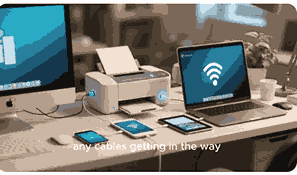
Printers are essential devices in homes, offices, schools, and businesses worldwide, transforming digital information into physical copies that can be read, shared, or archived. From producing simple text documents to high-resolution images and professional graphics, printers remain one of the most important tools in computing and communication. With advancements in printing technology, today’s printers offer wireless connectivity, cloud integration, multifunctional features, and energy efficiency, making them indispensable in both personal and professional environments. Understanding what a printer is, its components, functions, types, and uses can help individuals and organizations choose the right model for their needs and maximize productivity.
What Is A Printer?
A printer is a hardware output device that takes data from a computer or mobile device and produces a printed version on paper or other media. It is part of the essential input-output ecosystem in computing, bridging the digital and physical world by converting electronic information into tangible documents, graphics, or photographs. Printers come in various forms, such as inkjet, laser, thermal, and 3D printers, each designed for specific purposes. Over time, they have evolved from bulky, slow devices into compact, fast, and efficient machines. Today, printers not only print but also scan, copy, fax, and connect wirelessly, making them multifunctional tools essential in homes, schools, and businesses.
History Of Printers
Printers have a long history dating back to the invention of mechanical printing presses in the 15th century. The modern computer printer began emerging in the mid-20th century with the development of dot matrix printers, which used pins and ink ribbons to create text. Later, inkjet and laser printers revolutionized the industry by offering higher print quality, greater efficiency, and faster speeds. With technological advancements, printers have become more compact, affordable, and versatile, integrating features such as wireless printing, touchscreen controls, and cloud-based services. This historical evolution highlights the continuous demand for efficient ways of converting digital data into physical copies.
Main Functions Of Printers
Printers serve a wide range of functions beyond simple text printing. They can reproduce high-quality photographs, detailed graphics, professional documents, and marketing materials. Multifunction printers combine printing, scanning, copying, and faxing in one device, reducing the need for multiple machines. Advanced models include duplex printing, which saves paper by printing on both sides, and wireless connectivity, which enables remote printing from smartphones, tablets, and laptops. Printers are also widely used in creative industries for producing posters, banners, and product packaging. In healthcare, education, and government offices, printers provide essential documentation and record-keeping tools.
Types Of Printers
There are several main types of printers, each suited for different purposes:
Inkjet Printers
Inkjet printers are common in homes and small offices. They provide high-quality printing with vivid colors and fine details, making them suitable for photographs and graphics.
Laser Printers
Laser printers use toner powder and heat to produce sharp text and images quickly. They are ideal for high-volume printing in offices and businesses.
Thermal Printers
Thermal printers use heat to print on special paper. They are widely used in receipts, labels, and shipping industries due to their speed and cost efficiency.
3D Printers
3D printers are advanced machines that create three-dimensional objects by layering materials. They are used in engineering, medicine, design, and manufacturing.
Key Components Of A Printer
Printers contain several vital components, including the print head, ink or toner cartridges, paper feed system, rollers, fuser unit, and control panel. The print head controls ink distribution, while cartridges hold ink or toner. The fuser unit in laser printers melts toner onto the paper, creating a permanent print. Paper trays, feeders, and rollers handle media, ensuring smooth paper movement. Control panels allow users to configure settings, monitor ink levels, and connect to networks.
Advantages Of Using Printers
Printers offer many advantages, such as creating physical copies of important digital files, providing professional-quality documents, and enabling easy sharing of information. They support productivity in businesses, ensure record keeping in government institutions, and aid in learning within schools. Printers also enhance creativity by allowing designers, photographers, and artists to bring digital work into physical form. Multifunctional devices save space and money, while wireless and cloud-enabled models make printing convenient and accessible from anywhere.
Disadvantages Of Printers
Despite their benefits, printers have drawbacks. They require regular maintenance, ink or toner replacement, and paper supplies, which can be costly. Printers can also experience issues such as paper jams, connectivity errors, and driver compatibility problems. Environmental concerns arise due to paper waste and energy consumption. Additionally, 3D printing raises challenges related to cost, intellectual property, and safety. However, ongoing innovations aim to reduce these disadvantages by improving efficiency and sustainability.
Applications Of Printers
Printers are used across multiple industries, including education, healthcare, retail, publishing, logistics, and design. In schools, they produce study materials and assignments. In healthcare, they generate medical records and prescriptions. Retailers use them for receipts, price tags, and packaging labels. Architects and engineers rely on printers for technical drawings and blueprints, while artists use them for creating professional portfolios. The widespread applications demonstrate the continued relevance of printers in both traditional and digital environments.
Future Of Printing Technology
The future of printers points toward smarter, more sustainable, and more versatile devices. Innovations include cloud-based printing, artificial intelligence integration, and environmentally friendly materials. Wireless and mobile printing will continue to expand, making it easier to print from anywhere. In 3D printing, future developments will focus on medical applications, manufacturing, and even food production. Sustainable practices such as recyclable cartridges, eco-friendly inks, and energy-efficient designs will become more common, ensuring printers adapt to evolving global needs.
Conclusion
Printers have evolved into multifunctional, indispensable devices that bridge the gap between digital and physical information. They continue to support businesses, education, healthcare, and creative industries by providing reliable and efficient ways to produce physical documents, graphics, and 3D objects. As technology advances, printers will remain central to productivity, innovation, and communication, adapting to future demands while integrating smarter and more sustainable solutions.
Frequently Asked Questions
1. What Is A Printer?
A printer is a hardware output device that transfers text, graphics, or images from a digital source such as a computer or smartphone onto paper or another print medium. It works by receiving data from the connected device, processing it, and producing a permanent copy. Printers come in various types, including inkjet, laser, thermal, and 3D models, each serving different functions. Modern printers often provide multifunctional features like scanning, copying, and faxing. They can connect through wired or wireless methods, including USB, Wi-Fi, and Bluetooth. Printers are widely used in offices, schools, and homes, enabling efficient document production, creative work, and record keeping.
2. What Are The Main Functions Of A Printer?
The main functions of a printer extend beyond simply producing paper documents. Printers create professional-quality text, images, and graphics, making them valuable for businesses, schools, and homes. Multifunctional models include scanning, copying, and faxing capabilities, reducing the need for separate devices. Many printers offer duplex printing, which saves paper by printing on both sides, as well as wireless connectivity for remote printing from smartphones and laptops. Advanced printers handle various media sizes and types, from standard documents to envelopes and posters. They are essential for official records, creative design projects, and communication materials. These functions make printers versatile and indispensable in today’s digital world.
3. What Are The Different Types Of Printers?
Printers can be categorized into several types based on technology and purpose. Inkjet printers are common for home use, offering sharp image quality and vibrant colors. Laser printers are popular in offices due to their speed, efficiency, and cost-effectiveness for high-volume printing. Thermal printers use heat-sensitive paper, making them suitable for receipts and shipping labels. Dot matrix printers, though less common today, are still used in specialized industries that require carbon copies. More recently, 3D printers have revolutionized manufacturing, healthcare, and design by creating three-dimensional objects from digital models. Each type of printer serves a distinct purpose, ensuring flexibility across industries.
4. How Does An Inkjet Printer Work?
An inkjet printer works by spraying tiny droplets of liquid ink directly onto paper with extreme precision. The print head moves back and forth, releasing ink in controlled amounts to create text or images. Inkjet printers are known for their ability to produce high-resolution prints with sharp details and rich colors, making them ideal for photographs and design projects. They typically use replaceable ink cartridges, and some models include separate cartridges for different colors, ensuring accurate reproduction. Inkjet printers are compact, affordable, and versatile, handling different media types such as photo paper and labels. However, they may require frequent ink replacement.
5. How Does A Laser Printer Work?
A laser printer uses a laser beam and electrostatic charges to transfer toner powder onto paper, which is then fused using heat and pressure. This process produces sharp, smudge-free text and images at high speed, making laser printers ideal for offices and businesses requiring large volumes of documents. Laser printers are generally more cost-efficient over time compared to inkjets due to lower printing costs per page. They are available in monochrome and color versions, with features such as duplex printing, large paper capacity, and wireless connectivity. The durability, speed, and professional quality make laser printers a top choice for heavy users.
6. What Is A Thermal Printer Used For?
A thermal printer is designed to produce prints using heat instead of ink. It works with heat-sensitive paper or ribbons to create text and images. Thermal printers are commonly used in industries like retail, logistics, and hospitality for printing receipts, barcodes, tickets, and shipping labels. They are valued for their speed, low maintenance, and cost-effectiveness since they do not require ink or toner. However, thermal prints can fade over time, making them unsuitable for long-term documentation. Despite this limitation, their efficiency and reliability make thermal printers a vital tool in point-of-sale systems and supply chain management.
7. What Is The Difference Between Inkjet And Laser Printers?
The difference between inkjet and laser printers lies in their printing technology, cost, and usage. Inkjet printers spray liquid ink onto paper, offering high-resolution prints suitable for photos and graphics. They are generally cheaper to buy but have higher running costs due to frequent ink cartridge replacements. Laser printers use toner powder and a fusing process, producing faster and more cost-effective prints for high-volume tasks. While they excel in text and professional documents, they may not achieve the same photo quality as inkjets. Choosing between the two depends on whether quality or volume and cost-efficiency is the priority.
8. What Is A 3D Printer And How Does It Work?
A 3D printer is an advanced type of printer that builds three-dimensional objects layer by layer from digital designs. Using materials such as plastic, resin, or metal, it creates prototypes, tools, medical implants, or even architectural models. The process begins with a 3D design file, which is sliced into thin layers by specialized software. The printer then deposits material or solidifies liquid resin using techniques like extrusion or laser curing. 3D printers are transforming industries like healthcare, manufacturing, and engineering by enabling rapid prototyping and custom production. They represent a major innovation beyond traditional two-dimensional printing.
9. What Are The Key Components Of A Printer?
Printers consist of multiple components that work together to produce prints. The print head controls ink or toner application, ensuring accuracy. Ink cartridges or toner hold the printing medium, while paper trays and feeders manage different paper sizes. Rollers transport paper smoothly, and the fuser unit in laser printers bonds toner permanently. The control panel provides settings, connectivity, and status updates. Some printers also include scanning beds and optical sensors in multifunction models. Networking interfaces like USB, Ethernet, Wi-Fi, and Bluetooth allow flexible connections. Together, these components make printers functional, efficient, and adaptable to user needs.
10. What Are The Advantages Of Using Printers?
Printers offer several advantages, including the ability to produce physical copies of digital documents for easier distribution and archiving. They provide professional-quality results for reports, brochures, and marketing materials. Printers also support creative industries by turning digital designs and photographs into tangible works. Multifunction models save space and costs by combining scanning, copying, and faxing. Wireless and mobile-enabled printers increase convenience by allowing printing from smartphones and cloud services. Additionally, features like duplex printing and energy-saving modes improve efficiency. These benefits make printers an essential part of both personal and professional environments where reliable documentation is required.
11. What Are The Disadvantages Of Printers?
While printers are highly useful, they come with disadvantages. The cost of ink, toner, and paper supplies can be high, especially for frequent users. Maintenance issues such as paper jams, misfeeds, and connectivity problems can cause delays. Printers also contribute to environmental concerns through energy consumption and paper waste. Thermal printers face challenges with fading prints, and inkjet models may dry out if not used regularly. Large-volume printers can be bulky and expensive. Despite these drawbacks, technological advancements continue to address these issues through energy efficiency, eco-friendly cartridges, and improved durability, ensuring printers remain practical tools.
12. What Are The Applications Of Printers In Everyday Life?
Printers play a vital role in everyday life by supporting communication, learning, and business operations. At home, they are used for school assignments, personal projects, and photographs. In offices, they handle reports, contracts, and presentations. Retail environments rely on them for receipts, labels, and promotional materials. Healthcare uses printers for prescriptions, patient records, and medical imaging. Architects and engineers print blueprints, while educators provide learning resources. Printers also support logistics through barcode labels and shipping documentation. These diverse applications show how printers remain integral to modern society by turning digital information into accessible physical formats.
13. How Has Printing Technology Evolved Over Time?
Printing technology has evolved significantly from mechanical presses to sophisticated digital devices. Early dot matrix printers introduced electronic printing, followed by inkjet and laser models that improved quality and speed. The arrival of multifunction printers combined several functions into one machine, increasing convenience. Wireless and cloud printing have further transformed how users interact with printers, enabling remote access. The introduction of 3D printing expanded the definition of printing itself, allowing creation of physical objects. This evolution reflects the growing demand for efficiency, connectivity, and sustainability in both personal and professional environments.
14. What Are The Costs Associated With Printers?
The costs of printers include both the initial purchase price and ongoing operational expenses. Inkjet printers are inexpensive upfront but have high costs per page due to frequent ink cartridge replacements. Laser printers cost more initially but are cheaper in the long run, especially for high-volume printing. Additional costs include toner or ink, paper, maintenance, and occasional repairs. Specialized printers like 3D models involve higher costs for materials and software. Users should also consider energy consumption and accessories. Understanding these expenses helps individuals and businesses budget effectively while choosing a printer suited to their needs.
15. What Is Wireless Printing?
Wireless printing allows users to send print commands from smartphones, tablets, and laptops without using cables. This feature relies on technologies such as Wi-Fi, Bluetooth, and cloud-based services. Wireless printers offer greater convenience, especially in offices and homes where multiple devices connect to a single machine. Cloud printing extends this flexibility by enabling remote printing from any location with internet access. Wireless printing reduces clutter, simplifies setup, and enhances productivity. However, it requires secure networks to prevent unauthorized access. This modern feature has become standard in most new printer models, reflecting the demand for seamless connectivity.
16. What Are Multifunction Printers?
Multifunction printers, also known as all-in-one printers, combine several functions into one device. They typically include printing, scanning, copying, and faxing, eliminating the need for separate machines. These printers save space and reduce costs while offering convenience for both home and office use. Many multifunction models support wireless printing, duplex printing, and cloud services, making them versatile and efficient. Their ability to handle different tasks makes them popular among small businesses, schools, and individuals who require flexibility. By integrating multiple capabilities, multifunction printers increase productivity and streamline workflows.
17. How Do Printers Connect To Computers And Devices?
Printers connect to computers and devices through various methods. Traditional connections use USB or Ethernet cables for stable, direct communication. Wireless options include Wi-Fi, Bluetooth, and NFC, allowing printing from smartphones, tablets, and laptops. Cloud printing services enable remote access, letting users print documents from anywhere with internet connectivity. Some printers also support SD cards and USB flash drives for direct printing without a computer. Modern multifunction printers integrate seamlessly into networks, supporting multiple users. The choice of connection depends on user preferences, security needs, and the type of tasks being performed.
18. What Is The Future Of Printers?
The future of printers is centered on sustainability, smart integration, and advanced features. Eco-friendly designs will focus on recyclable cartridges, energy-efficient operations, and reduced paper usage. Cloud-based and AI-powered printers will provide predictive maintenance, optimized workflows, and enhanced security. 3D printing will continue to expand into industries like healthcare, construction, and aerospace, enabling custom production and innovation. Wireless and mobile printing will dominate, ensuring flexibility and accessibility. Printers of the future will become smarter, greener, and more versatile, adapting to the changing demands of digital transformation and environmental responsibility.
19. What Are The Environmental Impacts Of Printers?
Printers impact the environment through paper waste, energy consumption, and disposable ink or toner cartridges. High paper usage contributes to deforestation and landfill waste. Non-recyclable cartridges add to electronic waste. Energy-intensive models also increase carbon footprints. To mitigate these impacts, manufacturers are adopting eco-friendly practices, such as recyclable materials, energy-saving modes, and refillable ink systems. Duplex printing helps reduce paper waste, while digital documentation minimizes unnecessary printing. Consumers can contribute by recycling cartridges, using sustainable paper, and adopting responsible printing habits. These measures help balance productivity with environmental sustainability.
20. How Do Printers Support Businesses And Education?
Printers play a critical role in both businesses and education by enabling communication, record-keeping, and creativity. In businesses, they produce contracts, invoices, reports, and marketing materials, supporting daily operations and branding. Schools and universities rely on printers for assignments, learning materials, and administrative documents. Multifunction printers streamline workflows by combining multiple capabilities. Wireless and cloud-enabled models enhance collaboration by allowing access from various devices. Printers also encourage creativity, enabling students, designers, and marketers to bring digital projects into physical form. Their adaptability ensures they remain valuable tools in professional and educational settings.
FURTHER READING
- Does Amazon Have Physical Store Locations? | Exploring Amazon’s Retail Footprint Beyond Online Shopping
- Is Amazon An Online Or Offline Marketplace? | Understanding Amazon’s Marketplace Model For Buyers And Sellers
- Is eBay An Online Or Offline Marketplace? | Understanding eBay’s Platform, Buying, And Selling Dynamics
- Does eBay Have Physical Store Locations? | Exploring eBay’s Online And Offline Presence
- How To Shop On eBay | The Ultimate Guide To Buying On eBay Online
- How To Join eBay Partner Network | A Step-By-Step Guide To Start Earning With eBay Affiliates
- How Does eBay Partner Network Work? | Complete Guide To eBay Affiliate Program And Earnings
- How To Download And Install eBay App | A Step-By-Step Guide To Get eBay On Your Device Easily
- How To Make Money With eBay Affiliate Program | A Complete Guide To Earning Online With eBay
- What Is eBay Partner Network? | A Complete Guide To eBay Affiliate Marketing Success