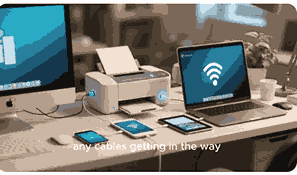
Printers are essential devices in homes, schools, and offices, transforming digital information into physical documents. Whether you need to print business reports, academic papers, or colorful photos, understanding how a printer works can help you use it more effectively. Printers use a combination of hardware, software, ink or toner, and printing mechanisms to produce high-quality output on paper. Different types of printers exist, including inkjet, laser, thermal, and 3D printers, each working in unique ways but sharing the common goal of delivering precise and clear results. Knowing the processes behind how a printer functions also helps users troubleshoot issues, maintain devices, and choose the right printer for their needs.
What Is A Printer?
A printer is an external hardware device that converts digital data into physical printouts, usually on paper or other materials. Printers connect to computers, smartphones, or networks through cables, Wi-Fi, or Bluetooth to receive instructions. They then interpret these instructions using built-in processors and print drivers. Different printer technologies exist, such as inkjet printers that spray liquid ink, laser printers that use toner powder fused by heat, thermal printers that burn images onto paper, and 3D printers that layer materials to create objects. Printers vary in speed, quality, and cost, making them suitable for different purposes, from professional publishing and office work to personal projects and industrial manufacturing.
Types Of Printers
Printers come in various types designed for specific tasks. Inkjet printers are popular for home and office use, producing sharp text and detailed images using liquid ink sprayed through tiny nozzles. Laser printers are faster and more efficient, ideal for high-volume printing, and use toner powder and a laser beam to create images on paper. Thermal printers are widely used in receipts and labels, applying heat to special paper. Dot matrix printers, though outdated, still serve industrial environments requiring carbon copies. The most advanced are 3D printers, which build physical objects layer by layer using plastic, resin, or metal. Choosing the right printer depends on print quality, cost, speed, and purpose.
Main Components Of A Printer
Printers rely on several components to function effectively. The print head is crucial in inkjet printers, as it sprays ink precisely on the paper. In laser printers, the drum unit and toner cartridge are key to transferring powder images before being fused by heat. Paper trays and feeders handle paper movement, ensuring smooth operation. The control panel allows users to interact with the printer, while processors and memory manage print data. Connectivity modules, such as USB ports or Wi-Fi adapters, allow communication with devices. Additionally, sensors detect paper jams and ink or toner levels, while rollers and motors control movement. Together, these parts ensure efficiency and accuracy.
How Inkjet Printers Work
Inkjet printers are known for producing sharp text and vibrant images. They work by spraying tiny droplets of liquid ink directly onto paper through nozzles. Print heads move back and forth across the page, applying ink with extreme precision. Modern inkjet printers use dye-based or pigment-based inks to enhance print quality and durability. Some models feature multiple color cartridges for detailed graphics and photos. The printer driver converts digital files into instructions, controlling the nozzles’ timing and movement. Despite offering excellent quality, inkjet printers may have slower print speeds and higher running costs compared to laser printers, but they remain popular for home and photo printing.
How Laser Printers Work
Laser printers are efficient devices widely used in offices for high-volume printing. They function by projecting a laser beam onto a rotating drum coated with a photosensitive material. This process creates an electrostatic image that attracts toner powder. The toner is then transferred onto paper and fused permanently using heated rollers. Laser printers produce sharp text and graphics at high speeds, making them ideal for businesses. They are more cost-effective per page compared to inkjet printers, though initial purchase prices may be higher. With longer-lasting toner cartridges and durability, laser printers dominate environments requiring fast, professional-quality output.
How Thermal Printers Work
Thermal printers use heat to create images on specially coated thermal paper. Direct thermal printers darken the paper by applying heat, while thermal transfer printers use a heated ribbon to transfer ink onto paper. Commonly found in cash registers, shipping labels, and barcode printing, thermal printers are valued for speed, quiet operation, and low maintenance. They don’t require ink or toner, making them cost-efficient for specific tasks. However, printouts may fade over time, especially when exposed to heat or sunlight. While not ideal for general office use, thermal printers are essential in industries requiring quick, reliable, and inexpensive printing solutions.
How 3D Printers Work
3D printers revolutionize manufacturing by creating solid objects from digital models. Unlike traditional printers that apply ink or toner to paper, 3D printers build items layer by layer using materials such as plastic filament, resin, or even metal. The process begins with slicing software that breaks a 3D model into printable layers. The printer then extrudes or cures material layer by layer until the object is complete. This technology is widely used in prototyping, medical implants, architecture, and even aerospace engineering. Though slower than mass production, 3D printing offers customization, precision, and innovation, making it a rapidly expanding technology across industries.
Printer Connectivity Options
Modern printers connect to devices in multiple ways. Traditional printers use USB cables for direct connections, ensuring fast and stable communication. Wireless printers connect via Wi-Fi, enabling multiple users to share one device on a network. Bluetooth connectivity allows printing directly from smartphones and tablets without requiring internet access. Cloud printing services, like Google Cloud Print, allow remote printing from anywhere. Ethernet connections are preferred in offices for reliability and speed. NFC-enabled printers also support tap-to-print functionality. These connectivity options provide flexibility, making printers adaptable to personal and business needs. Choosing the right option ensures convenience and efficiency.
Common Printer Problems And Solutions
Printers, while essential, often encounter problems. Paper jams occur when sheets misfeed, and can be solved by clearing the path and aligning paper properly. Streaks or faded prints result from low ink or toner levels, requiring cartridge replacement. Slow printing may indicate high-resolution settings or outdated drivers, which can be adjusted or updated. Connectivity issues often stem from network problems or incorrect settings. Error codes displayed on control panels can guide troubleshooting. Regular maintenance, such as cleaning print heads and updating firmware, prevents recurring issues. Understanding these common printer problems helps users maintain smooth operations and avoid costly downtime.
Advantages And Disadvantages Of Printers
Printers offer many benefits, including the ability to create physical records, professional reports, and vibrant images. Inkjet and laser printers provide high-quality output suitable for personal and business use. Specialized printers like 3D and thermal models extend functionality to industries. However, printers also have drawbacks. Inkjet printers can be costly to maintain due to frequent cartridge replacements. Laser printers, though cost-efficient, have high upfront prices. Thermal prints fade quickly, limiting long-term use. Printers also consume paper and energy, raising environmental concerns. Despite these limitations, printers remain indispensable, offering reliable solutions for communication, documentation, and creative expression.
Future Of Printing Technology
Printing technology continues to evolve rapidly. Advances in inkjet and laser systems aim to increase speed, quality, and energy efficiency. Wireless and cloud printing integrations are becoming standard, enhancing convenience. 3D printing is revolutionizing industries by enabling rapid prototyping and personalized manufacturing. Eco-friendly printing solutions, such as recyclable cartridges and reduced ink consumption, address sustainability concerns. Artificial intelligence and smart printers are emerging, capable of self-diagnosis and predictive maintenance. Future printers may integrate with augmented reality and IoT devices, providing seamless, intelligent experiences. These innovations ensure that printing remains relevant in an increasingly digital world, adapting to modern demands.
Conclusion
Printers play a vital role in converting digital data into tangible output. From traditional inkjet and laser printers to advanced 3D and thermal printers, these devices continue to evolve, serving both personal and industrial needs. Understanding the types, components, processes, and challenges of printers helps users choose the right device, troubleshoot problems, and appreciate the innovation behind printing technology. As future advancements improve efficiency, quality, and sustainability, printers will remain integral to communication, education, business, and creative industries worldwide.
Frequently Asked Questions
1. How Does A Printer Work?
A printer works by receiving digital instructions from a computer, smartphone, or network, then processing the data through drivers and internal processors. Depending on the type, the printer applies ink, toner, heat, or material to create images or text on paper or other surfaces. Inkjet printers spray liquid ink with precision, while laser printers use toner powder fused by heat. Thermal printers rely on heat-sensitive paper, and 3D printers build objects layer by layer. Each component, from print heads and drums to rollers and feeders, plays a vital role in the printing process. Together, these mechanisms deliver reliable, high-quality output efficiently.
2. What Is The Difference Between Inkjet And Laser Printers?
Inkjet printers use liquid ink sprayed through nozzles to produce high-resolution images and text, making them ideal for home use and photo printing. They provide vibrant colors but tend to have slower print speeds and higher ongoing costs due to frequent cartridge replacements. Laser printers, on the other hand, use toner powder and a laser beam to create images on a drum that are then fused to paper with heat. They are faster, more durable, and cost-effective for large print volumes, making them suitable for office environments. Choosing between the two depends on budget, speed, and intended usage.
3. What Are The Main Components Of A Printer?
Printers rely on several essential components to function properly. Inkjet printers depend on the print head, cartridges, and nozzles to spray ink precisely. Laser printers use a laser beam, a photosensitive drum, and toner cartridges. Rollers, feeders, and motors move paper smoothly through the device, while sensors detect paper jams and ink or toner levels. Control panels and display screens allow user interaction, while processors and memory manage incoming data. Connectivity modules, such as USB ports or wireless adapters, establish communication with computers and networks. Together, these components work seamlessly to ensure printers deliver accurate, high-quality, and efficient results.
4. How Do Inkjet Printers Spray Ink Onto Paper?
Inkjet printers spray ink using tiny nozzles located on the print head. When a print job begins, electrical signals trigger the nozzles to release microscopic droplets of liquid ink. These droplets are directed with extreme precision onto specific areas of the paper, forming text and images. Some printers use thermal bubble technology, where heat creates pressure to push ink out, while others use piezoelectric technology, relying on vibrations to eject ink. The process occurs rapidly, with the print head moving back and forth across the page. This precision ensures sharp details, smooth gradients, and high-quality results in both text and graphics.
5. How Do Laser Printers Use Toner Powder?
Laser printers use toner powder instead of liquid ink. A laser beam projects an image onto a photosensitive drum, creating an electrostatic charge that attracts toner particles. These particles stick to the charged areas, forming the text or image pattern. The drum then transfers the toner onto paper as it passes through. To permanently fix the toner, heated rollers called the fuser unit melt the particles onto the paper fibers. This process produces crisp, smudge-resistant prints. Laser printers are known for their speed, durability, and efficiency, making them highly effective for offices and businesses requiring frequent, high-volume printing tasks.
6. What Is A Thermal Printer And How Does It Work?
A thermal printer creates images using heat instead of ink or toner. Direct thermal printers heat specially coated paper, turning it black where the heat is applied. Thermal transfer printers, on the other hand, use a heated ribbon coated with ink, which melts and transfers onto paper or labels. These printers are widely used for receipts, shipping labels, barcodes, and tickets. Thermal printers are fast, quiet, and require minimal maintenance since they don’t need traditional cartridges. However, the prints may fade over time when exposed to heat or sunlight. Their reliability and efficiency make them ideal for retail and logistics industries.
7. How Does A 3D Printer Build Objects?
A 3D printer builds objects layer by layer using materials such as plastic, resin, or metal. The process begins with digital 3D design software that slices the model into thin layers. The printer then follows these instructions to extrude or cure material, depositing it precisely until the entire object is formed. Some printers use filament melted through a heated nozzle, while others use lasers to cure resin or sinter powdered metal. This method allows the creation of complex shapes not possible with traditional manufacturing. 3D printing is used in industries like medicine, automotive, aerospace, and architecture for prototyping and production.
8. Why Do Printers Experience Paper Jams?
Paper jams occur when sheets of paper fail to feed correctly through a printer. Common causes include using the wrong paper size, overloading the tray, or inserting wrinkled sheets. Dust, debris, or worn rollers can also interfere with paper movement. In laser printers, misaligned toner cartridges may contribute to jams, while in inkjet printers, improper feeding may result from dirty rollers. Users can prevent jams by keeping the paper path clean, using recommended paper, and aligning stacks correctly. When jams happen, carefully removing stuck sheets and resetting the device usually resolves the issue without long-term damage to the printer.
9. What Causes Printers To Print Faded Or Streaked Pages?
Faded or streaked prints usually result from low ink or toner levels. In inkjet printers, clogged nozzles or dried ink may block proper spraying, while in laser printers, toner cartridges may be near empty or improperly seated. Paper quality also plays a role, as rough or incompatible sheets can absorb ink unevenly. Cleaning the print head or replacing cartridges often fixes these issues. Updating printer drivers and ensuring correct print settings also help maintain consistent quality. Regular maintenance, including using printers frequently to prevent ink drying, ensures that documents and images remain sharp, clear, and professional in appearance.
10. How Do Printers Connect To Computers And Mobile Devices?
Printers connect to devices using various methods. Traditional USB connections offer fast, stable communication between a computer and printer. Wireless connections through Wi-Fi enable multiple users to print from the same network, while Bluetooth allows direct printing from smartphones and tablets without requiring internet. Cloud printing services extend access remotely, letting users send print jobs from anywhere. Ethernet ports provide reliable wired connections in office environments. Some printers also feature NFC, where users can tap their phone to initiate printing. These connectivity options make printers versatile, allowing easy integration into both personal and business environments for efficient printing.
11. What Are The Advantages Of Inkjet Printers?
Inkjet printers are praised for their ability to produce sharp, vibrant images with high resolution. They are compact and affordable, making them suitable for home and small office use. Their ability to handle different paper sizes and photo printing makes them versatile. Additionally, inkjet printers typically have a lower upfront cost compared to laser printers. However, they may require more frequent ink cartridge replacements, leading to higher long-term costs. Despite this drawback, their excellent print quality, ability to produce detailed graphics, and flexibility in printing different materials make inkjet printers an appealing option for personal and creative use.
12. What Are The Advantages Of Laser Printers?
Laser printers offer high-speed printing, producing large volumes of documents efficiently. Their toner cartridges last longer than ink cartridges, reducing ongoing costs and making them more economical for offices. They deliver sharp, professional-quality text, making them ideal for business reports and official documents. Laser printers are also durable and capable of handling heavy workloads without frequent breakdowns. While they may have higher initial purchase costs compared to inkjets, their cost-effectiveness and reliability make them a preferred choice for businesses. They are particularly advantageous in work environments that demand speed, precision, and efficiency for daily document printing needs.
13. Why Do Thermal Printouts Fade Over Time?
Thermal printouts fade because they are created on heat-sensitive paper that reacts to environmental factors. Direct thermal prints turn dark when exposed to additional heat, sunlight, or friction, causing them to lose clarity over time. Humidity and chemical exposure also accelerate fading. This makes them unsuitable for long-term record-keeping. To prolong readability, thermal prints should be stored away from heat sources, sunlight, and harsh chemicals. Thermal transfer prints, which use ribbons instead of direct heat, last longer but still require care. Despite fading issues, thermal printers remain valuable for temporary uses like receipts, labels, tickets, and shipping documents.
14. What Is The Role Of Print Drivers In Printers?
Print drivers act as translators between a computer and a printer. When a user sends a document to print, the driver converts it into a format the printer understands, specifying details like font, layout, resolution, and color. Without the correct driver, printers may not function properly, leading to misaligned pages, errors, or incomplete jobs. Drivers are tailored to specific printer models, ensuring compatibility and efficiency. Updating drivers regularly helps maintain performance, fix bugs, and introduce new features. Essentially, print drivers bridge the gap between software and hardware, enabling seamless communication and accurate document reproduction across different devices.
15. How Do Printers Use Memory And Processors?
Printers use built-in memory and processors to handle incoming data efficiently. When a print job is sent, the processor interprets the data, while memory temporarily stores the information before printing begins. This prevents delays, especially with large or complex documents. High-end printers feature more powerful processors and expanded memory, allowing them to process multiple jobs simultaneously without slowing down. This is particularly useful in offices with heavy printing demands. Memory also helps maintain image consistency, as stored data ensures smooth operation. Together, processors and memory enhance a printer’s speed, accuracy, and ability to manage workloads effectively.
16. What Are Common Printer Maintenance Tips?
Proper maintenance keeps printers running smoothly. Regularly cleaning print heads and rollers prevents smudges and jams. Using recommended paper and high-quality cartridges ensures consistent performance. Updating drivers and firmware keeps the printer compatible with new devices and software. For inkjet printers, printing regularly prevents ink from drying in the nozzles. Laser printers benefit from replacing worn rollers and fuser units when needed. Keeping the device dust-free and avoiding overloading paper trays reduces breakdowns. Following manufacturer guidelines and scheduling routine checkups extend a printer’s lifespan. These maintenance practices help maintain print quality and minimize unexpected malfunctions.
17. How Do Printers Affect The Environment?
Printers impact the environment through paper consumption, energy use, and waste from cartridges. Excessive printing contributes to deforestation and increased carbon emissions. Ink and toner cartridges generate plastic waste, often ending up in landfills if not recycled properly. Energy-intensive laser printers also raise electricity usage. To reduce environmental impact, users can implement eco-friendly practices like double-sided printing, using recycled paper, and participating in cartridge recycling programs. Manufacturers are developing greener printers with energy-saving modes and refillable ink tanks. Adopting sustainable habits and technologies ensures that printing remains practical while minimizing negative effects on the planet.
18. What Is Cloud Printing And How Does It Work?
Cloud printing allows users to send print jobs from any device connected to the internet, regardless of location. Instead of connecting directly to a printer, documents are uploaded to a cloud service, which then forwards them to a linked printer. This enables remote printing, making it convenient for offices, schools, and businesses with multiple locations. Services like Google Cloud Print and other networked systems streamline this process. Cloud printing supports both mobile and desktop devices, enhancing flexibility. Security measures, such as authentication and encryption, protect documents. Overall, cloud printing simplifies access and makes printing more efficient and versatile.
19. What Are The Future Trends In Printing Technology?
Future trends in printing technology focus on speed, efficiency, and sustainability. Inkjet and laser printers are evolving to use less ink and energy while delivering higher-quality results. Wireless and mobile printing are becoming standard, with seamless integration into smart devices and networks. 3D printing continues to expand across industries, enabling rapid prototyping, medical implants, and even construction. Artificial intelligence is being introduced for predictive maintenance, automated workflows, and error detection. Eco-friendly designs, such as refillable cartridges and biodegradable materials, are growing in importance. These advancements ensure that printing remains relevant in the digital age, adapting to modern needs.
20. How Do Printers Support Business And Education?
Printers play a vital role in business and education by providing essential hard copies of digital content. In businesses, they produce contracts, invoices, reports, and marketing materials that support daily operations. Laser printers dominate office environments due to their speed and efficiency, while multifunction printers integrate scanning and copying features. In education, printers assist in creating study materials, worksheets, and research papers, ensuring accessibility for students and teachers. They also support creative projects, such as posters and presentations. Reliable printing technology bridges digital and physical communication, making it an indispensable tool across professional, academic, and creative environments.
Further Reading
- What Is A Printer? | Definition, Functions, Types, Uses, And Benefits Of Printers
- Does Amazon Have Physical Store Locations? | Exploring Amazon’s Retail Footprint Beyond Online Shopping
- Is Amazon An Online Or Offline Marketplace? | Understanding Amazon’s Marketplace Model For Buyers And Sellers
- Is eBay An Online Or Offline Marketplace? | Understanding eBay’s Platform, Buying, And Selling Dynamics
- Does eBay Have Physical Store Locations? | Exploring eBay’s Online And Offline Presence
- How To Shop On eBay | The Ultimate Guide To Buying On eBay Online
- How To Join eBay Partner Network | A Step-By-Step Guide To Start Earning With eBay Affiliates
- How Does eBay Partner Network Work? | Complete Guide To eBay Affiliate Program And Earnings
- How To Download And Install eBay App | A Step-By-Step Guide To Get eBay On Your Device Easily
- How To Make Money With eBay Affiliate Program | A Complete Guide To Earning Online With eBay