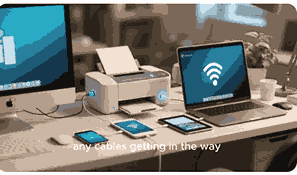
Selecting the best printer for office use can be overwhelming because modern workplaces demand reliable, fast, and cost-effective printing solutions. From small businesses to large enterprises, office printers play an essential role in document management, scanning, copying, and sometimes even faxing. A good office printer should offer a balance of speed, print quality, connectivity options, and low running costs. In this article, we will explore what makes a printer suitable for office use, the different types of office printers, their features, and factors to consider when choosing one for your business. By the end, you will have a clear understanding of how to pick the best printer for office use.
What Is A Printer?
A printer is an electronic device designed to produce physical copies of digital documents, images, or data stored on a computer, smartphone, or other devices. Printers can be connected via USB, Wi-Fi, or Ethernet, and many modern printers now support cloud-based printing services. In offices, printers are not only used for printing but also for scanning, copying, and faxing, making them multifunction devices. Depending on the technology, there are different types of printers such as inkjet, laser, and thermal printers, each with unique benefits. For office use, laser and multifunction printers are the most common because they are faster, more efficient, and better suited for high-volume printing needs compared to home printers.
Types Of Printers For Office Use
Different offices require different types of printers based on workload and functionality. Inkjet printers are suitable for small offices that occasionally print color documents and require high-quality output, especially for graphics and images. Laser printers, on the other hand, are preferred by medium to large offices that require high-speed printing and low-cost per page. Monochrome laser printers are excellent for text-heavy documents, while color laser printers are great for producing presentations and marketing materials. Multifunction printers (MFPs) combine printing, scanning, copying, and faxing in one machine, making them ideal for businesses that need all-in-one solutions. Large-format printers are another option for offices dealing with posters, blueprints, and wide documents.
Key Features Of Office Printers
When selecting the best printer for office use, certain features must be considered. Print speed, measured in pages per minute (PPM), is crucial for busy workplaces. Resolution, expressed in dots per inch (DPI), determines the sharpness of printed documents. Connectivity options such as Wi-Fi, Ethernet, and mobile printing support improve flexibility. Duplex printing, or the ability to print on both sides of the page, saves paper and reduces costs. Duty cycle, which indicates the maximum number of pages a printer can handle monthly, ensures the device can handle workload demands. Security features like password protection and encrypted printing are also essential for offices handling sensitive information.
Inkjet Printers For Office Use
Inkjet printers are well-known for their ability to produce high-quality prints, especially in color. For offices that require printing detailed graphics, marketing materials, or photos, inkjet printers can be a suitable choice. They are compact and affordable upfront, making them attractive for small businesses. However, ink costs can add up over time, and they are generally slower compared to laser printers. Some advanced business inkjets now offer improved speeds and lower cost per page, narrowing the gap with laser printers. These models also often support wireless printing, cloud integration, and mobile printing, making them versatile solutions for modern offices.
Laser Printers For Office Use
Laser printers are highly efficient and cost-effective for offices that print large volumes of text documents. They offer faster printing speeds and a lower cost per page compared to inkjet printers. Monochrome laser printers are widely used in businesses that primarily handle documents like contracts, reports, and letters. Color laser printers, while more expensive, are great for offices needing vibrant charts and graphics. Toner cartridges in laser printers last longer and are more efficient for heavy-duty printing tasks. Additionally, many office laser printers include multifunction capabilities, making them versatile machines suitable for small, medium, and large enterprises.
Multifunction Printers For Office Use
Multifunction printers, also known as all-in-one printers, are popular in offices because they combine printing, scanning, copying, and faxing into a single device. This saves space and reduces the need for multiple machines. They often come with advanced features like automatic document feeders (ADF), duplex printing, and secure print options. Multifunction printers can be inkjet or laser-based, depending on office requirements. They are particularly useful for businesses that rely heavily on document management and require both digital and physical copies. With cloud connectivity, some multifunction printers also support remote printing and scanning, improving productivity in hybrid work environments.
Connectivity Options For Office Printers
Modern office printers come with multiple connectivity options to suit different workplace setups. USB connectivity is standard, but wireless features like Wi-Fi and Bluetooth allow employees to print from laptops, smartphones, and tablets without physical connections. Ethernet connections are vital for larger offices that need centralized network printing. Cloud printing services such as Google Cloud Print and Apple AirPrint provide additional flexibility by allowing users to print from anywhere with an internet connection. NFC (Near Field Communication) is another emerging feature that enables printing by simply tapping a smartphone against the printer. These options enhance efficiency and convenience in busy offices.
Cost Considerations For Office Printers
When choosing the best printer for office use, cost is one of the most important factors. Beyond the initial purchase price, businesses must consider the long-term costs of consumables such as ink or toner, paper, and maintenance. Laser printers may be more expensive upfront but offer lower running costs over time. Inkjet printers, while cheaper initially, often come with higher ink expenses. Offices should also assess energy efficiency, as power-hungry devices can increase utility bills. Additionally, multifunction printers may save money by replacing multiple machines with one, offering a more cost-effective solution for small and medium-sized businesses.
Environmental Considerations For Office Printers
Sustainability is becoming increasingly important in modern offices. Many businesses now consider the environmental impact of their office printers. Features like duplex printing reduce paper usage, while energy-saving modes help lower electricity consumption. Some manufacturers provide recycling programs for used cartridges, which reduces waste. Choosing printers with Energy Star certification ensures compliance with eco-friendly standards. Additionally, high-yield toner cartridges and refillable ink tanks can reduce the frequency of replacements, minimizing both costs and environmental impact. Offices aiming for sustainable practices should consider these features when selecting the best printer for their workplace.
Security Features Of Office Printers
In an age where cybersecurity is a top priority, office printers must have adequate security features. Many modern office printers include secure print release functions, where documents are only printed when the user enters a PIN or password. Data encryption ensures that sensitive information transmitted over the network is protected. User authentication can restrict printer access to authorized personnel only, preventing unauthorized use. Some advanced printers also offer automatic firmware updates to patch vulnerabilities. Businesses that handle confidential information, such as legal firms or financial institutions, should prioritize printers with strong security features to safeguard their data.
Best Practices For Maintaining Office Printers
Proper maintenance of office printers extends their lifespan and ensures consistent performance. Regularly cleaning paper trays, rollers, and printheads prevents jams and maintains print quality. Updating firmware and software helps protect against security vulnerabilities. Using the recommended ink, toner, and paper prevents damage to the printer. Offices should schedule regular servicing, especially for high-volume printers, to detect potential issues early. Employees should also be trained on proper usage to minimize misuse. By following these best practices, businesses can reduce downtime, lower repair costs, and ensure their printers operate efficiently for years.
Conclusion
Choosing the best printer for office use depends on the unique needs of the business. Factors such as workload, budget, print quality, and required features should guide the decision. Small businesses may benefit from compact inkjet or multifunction printers, while larger offices will likely find laser printers more cost-effective and efficient. With advancements in connectivity, security, and sustainability, modern office printers are more versatile than ever before. By carefully evaluating the different types and features, businesses can invest in a reliable printer that improves productivity and reduces costs in the long run.
Frequently Asked Questions
1. Which Printer Is Best For Office Use?
The best printer for office use depends on the size of the business, print volume, and specific requirements. Small offices may find multifunction inkjet printers suitable because they provide high-quality color printing and scanning in one compact unit. However, medium to large businesses often benefit more from laser printers, which offer faster speeds and lower cost per page. Monochrome laser printers are excellent for heavy text-based printing, while color laser printers suit offices needing charts and marketing materials. Features such as duplex printing, wireless connectivity, and secure printing should also influence the choice. Ultimately, the best printer is the one that balances performance, cost, and features for your office’s unique needs.
2. What Are The Advantages Of Using A Laser Printer For Office Use?
Laser printers are highly efficient for office use because they deliver faster print speeds and lower running costs compared to inkjet printers. They are designed for high-volume printing, making them ideal for busy work environments. Toner cartridges in laser printers last much longer than ink cartridges, which reduces replacement frequency and lowers overall costs. Additionally, laser printers produce sharp, professional-quality text documents, which are essential for contracts, reports, and official correspondence. Many office laser printers also support duplex printing and network connectivity, enhancing productivity. These advantages make laser printers a reliable and cost-effective option for medium and large offices.
3. Are Inkjet Printers Suitable For Office Use?
Inkjet printers can be suitable for small offices, especially those that require high-quality color printing for graphics, presentations, or photos. They are generally compact and affordable, making them ideal for businesses with limited space and moderate printing needs. However, ink cartridges tend to run out quickly, and replacement costs can be higher than laser toner. For offices that print infrequently or prioritize detailed color documents, modern business inkjets with high-capacity cartridges can offer good value. Some models also include multifunction features like scanning and copying, which adds versatility. While not ideal for heavy workloads, they can be practical for small-scale office use.
4. What Features Should I Look For In An Office Printer?
When choosing an office printer, several key features should be considered. Print speed, measured in pages per minute, ensures the device can handle workload efficiently. Print resolution, expressed in dots per inch, determines the quality of documents and images. Connectivity options such as Wi-Fi, Ethernet, and mobile printing add flexibility. Duplex printing is essential for reducing paper use and costs. Security features like password protection and encryption safeguard sensitive data. The printer’s duty cycle, or maximum monthly workload, must align with office demands. Considering these features ensures the chosen printer can meet productivity, security, and efficiency needs of a modern office.
5. What Is The Difference Between Monochrome And Color Printers For Office Use?
The main difference between monochrome and color printers is their output capability. Monochrome printers, usually laser-based, print only in black and white, making them ideal for text-heavy documents such as reports, invoices, and contracts. They are generally faster and more cost-effective per page compared to color printers. Color printers, available as both inkjet and laser models, can produce vibrant images, charts, and marketing materials, but they come with higher purchase and operating costs. Offices that mainly handle text may benefit from monochrome models, while businesses requiring professional presentations and promotional materials should consider investing in a color printer.
6. How Important Is Print Speed For Office Printers?
Print speed is very important for office printers, especially in busy workplaces that handle large volumes of documents daily. Measured in pages per minute, higher speeds mean employees spend less time waiting for documents, improving overall productivity. For instance, small offices may find speeds of 20–30 ppm sufficient, while larger offices may require speeds exceeding 50 ppm. However, print speed should be balanced with print quality, as faster printers may compromise detail on complex documents. Businesses with frequent bulk printing needs, such as legal firms or schools, should prioritize high-speed models to ensure efficient operations and minimized downtime.
7. What Are The Benefits Of Multifunction Printers In Offices?
Multifunction printers, also called all-in-one printers, provide printing, scanning, copying, and faxing in one machine. This integration saves space, reduces equipment costs, and simplifies office workflows. For example, employees can scan and directly email documents from the same device they use for printing. Many models include advanced features like duplex printing, automatic document feeders, and secure print release. They also often support mobile and cloud printing, making them highly adaptable to modern work environments. By combining multiple functions, these printers reduce clutter and improve efficiency, making them a practical and cost-effective choice for small and medium-sized businesses.
8. Do Office Printers Support Wireless And Mobile Printing?
Yes, most modern office printers support wireless and mobile printing to accommodate flexible work environments. Wireless connectivity allows employees to print from laptops, smartphones, and tablets without physical connections, which is especially useful in offices with multiple users. Mobile printing technologies such as Apple AirPrint, Google Cloud Print, and Mopria enable printing directly from mobile devices. Some printers also support NFC, allowing users to print by simply tapping their phone against the printer. These features streamline workflows, reduce dependency on wired connections, and improve overall convenience in office operations. Wireless support has become a standard feature for office printers.
9. How Much Does It Cost To Maintain An Office Printer?
The cost of maintaining an office printer depends on the type of printer, usage volume, and replacement of consumables. Laser printers tend to have higher upfront costs but lower long-term expenses because toner cartridges last longer and print more pages. Inkjet printers, while cheaper initially, often require frequent ink replacements, increasing operating costs. Offices must also consider the cost of paper, energy consumption, and occasional repairs or servicing. Multifunction printers may help reduce costs by combining multiple functions in one device. On average, businesses should budget for both recurring consumable expenses and preventive maintenance to ensure efficient operation.
10. What Security Features Should An Office Printer Have?
Office printers should include strong security features to protect sensitive documents and prevent unauthorized access. Secure print release, which requires a PIN or password before documents are released, ensures confidentiality. Data encryption protects information transmitted between devices and the printer. User authentication can restrict access to authorized employees only, minimizing misuse. Advanced printers may also offer automatic firmware updates to address security vulnerabilities. Some models include activity monitoring and audit logs for tracking usage. For businesses dealing with confidential data, such as legal or financial firms, these features are critical to maintaining compliance and protecting against data breaches.
11. Are Multifunction Printers Better Than Single-Function Printers For Offices?
Multifunction printers are often better for offices because they combine several devices into one, saving space and costs. They handle printing, scanning, copying, and sometimes faxing, which streamlines workflow and reduces clutter. For small and medium offices, this integration provides efficiency and convenience. However, in very large offices with high print volumes, single-function laser printers may be preferred for their durability and speed. Multifunction printers can sometimes be slower when multiple functions are in heavy demand simultaneously. Ultimately, the decision depends on the office’s size, workload, and need for document management. Many businesses benefit most from multifunction devices.
12. What Is The Average Lifespan Of An Office Printer?
The average lifespan of an office printer varies based on usage, maintenance, and build quality. Most printers last between three to seven years under regular office use. High-end business laser printers and multifunction devices may last longer, sometimes over a decade, if properly maintained. Factors such as print volume, environment, and adherence to maintenance schedules influence longevity. Regular servicing, firmware updates, and using recommended consumables extend the printer’s life. Offices that handle extremely high workloads may experience shorter lifespans due to wear and tear. Overall, consistent care ensures office printers remain reliable and cost-effective investments over time.
13. How Do Office Printers Handle Large Print Volumes?
Office printers designed for large print volumes usually have higher duty cycles, faster print speeds, and larger paper trays. Laser printers are especially suited for bulk printing because their toner cartridges handle thousands of pages before needing replacement. Multifunction devices with automatic document feeders make scanning and copying large batches more efficient. Some advanced printers also include features like job scheduling, print queuing, and finishing options such as stapling or hole punching. For businesses with heavy workloads, investing in high-capacity models ensures productivity without frequent interruptions. These printers are built to handle continuous use, making them essential for large offices.
14. What Is Duplex Printing And Why Is It Useful In Offices?
Duplex printing is the ability of a printer to automatically print on both sides of a sheet of paper. This feature is particularly useful in office environments because it reduces paper consumption, lowers costs, and supports eco-friendly practices. Employees can produce professional-looking double-sided reports and documents without manually flipping pages. Many modern office printers offer automatic duplexing, making the process seamless and efficient. Beyond saving resources, duplex printing also helps minimize storage space needed for physical documents. For businesses prioritizing sustainability and cost savings, choosing a printer with reliable duplex functionality is a smart investment.
15. What Role Does Resolution Play In Office Printing Quality?
Resolution, measured in dots per inch, affects the clarity and sharpness of printed documents. Higher resolutions produce more detailed images and text, which is important for offices that print presentations, graphics, or documents requiring precision. Standard office printers usually offer 600 DPI, which is sufficient for most text documents. However, for marketing materials or images, resolutions of 1200 DPI or higher may be preferred. While higher resolution improves quality, it may also slow print speed and consume more toner or ink. Offices should balance resolution with workload needs, ensuring documents are clear while maintaining efficient operations and cost control.
16. What Connectivity Options Are Available For Office Printers?
Office printers today offer various connectivity options to suit different environments. USB remains a standard choice for direct connections, but Wi-Fi is increasingly popular for flexible, wireless printing. Ethernet connections are essential for larger offices requiring networked printers accessible by multiple users. Mobile printing technologies like Apple AirPrint, Google Cloud Print, and Mopria enable direct printing from smartphones and tablets. Some advanced models even include Bluetooth or NFC, allowing quick, tap-to-print functionality. These connectivity options improve accessibility, convenience, and efficiency, making it easier for employees to integrate printing into their daily workflow regardless of their device or location.
17. How Do Office Printers Contribute To Sustainability?
Office printers contribute to sustainability through eco-friendly features like duplex printing, which reduces paper consumption, and energy-saving modes that lower electricity use. Many models come with Energy Star certification, ensuring compliance with environmental standards. High-yield toner cartridges and refillable ink tanks minimize waste by requiring fewer replacements. Additionally, some manufacturers offer cartridge recycling programs that help reduce landfill impact. Offices can also implement print management policies to control excessive printing and encourage digital alternatives. By choosing sustainable printer models and practices, businesses can lower costs while supporting corporate social responsibility goals and environmental conservation.
18. What Factors Influence The Cost Per Page In Office Printers?
The cost per page in office printers is influenced by the type of printer, cartridge yield, and the complexity of documents. Laser printers typically have a lower cost per page compared to inkjet printers because toner lasts longer and produces more pages per cartridge. Inkjet printers often cost more per page, especially for color documents, due to frequent cartridge replacements. Print settings, such as resolution and color usage, also impact costs. Using draft mode for internal documents and high-yield cartridges can reduce expenses. Understanding these factors helps offices select printers that balance upfront cost with long-term affordability.
19. Can Office Printers Integrate With Cloud Services?
Yes, many modern office printers integrate with cloud services to enhance flexibility and productivity. Cloud printing allows users to send documents from remote locations directly to the office printer, which is especially useful for hybrid or remote work setups. Services like Google Drive, Dropbox, and OneDrive often integrate with multifunction printers, enabling employees to scan and upload documents directly to cloud storage. Mobile apps from printer manufacturers also allow users to access cloud services seamlessly. This integration improves document management, collaboration, and accessibility, making it an essential feature for offices adapting to digital workflows.
20. How Do Security Risks Affect Office Printers?
Office printers can pose security risks because they often store data from printed, scanned, or faxed documents. Without proper protection, hackers may exploit vulnerabilities to access sensitive information. Unauthorized printing can also waste resources and compromise confidentiality. To mitigate risks, offices should use printers with built-in security features such as encryption, user authentication, and secure print release. Regularly updating firmware ensures protection against emerging threats. Implementing access controls and monitoring usage also reduces risks. Businesses handling sensitive data should treat printers as part of their overall cybersecurity strategy to safeguard against potential breaches and data theft.
Further Reading
- What Are The Different Types Of Printers? | Printer Categories, Features, And Functions Explained For Buyers And Users
- How Does A Printer Work? | Understanding Printing Technology, Types, Functions, And Processes
- What Is A Printer? | Definition, Functions, Types, Uses, And Benefits Of Printers
- Does Amazon Have Physical Store Locations? | Exploring Amazon’s Retail Footprint Beyond Online Shopping
- Is Amazon An Online Or Offline Marketplace? | Understanding Amazon’s Marketplace Model For Buyers And Sellers
- Is eBay An Online Or Offline Marketplace? | Understanding eBay’s Platform, Buying, And Selling Dynamics
- Does eBay Have Physical Store Locations? | Exploring eBay’s Online And Offline Presence
- How To Shop On eBay | The Ultimate Guide To Buying On eBay Online
- How To Join eBay Partner Network | A Step-By-Step Guide To Start Earning With eBay Affiliates
- How Does eBay Partner Network Work? | Complete Guide To eBay Affiliate Program And Earnings