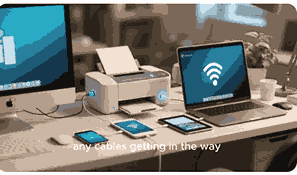
Finding the best printer for your needs can often feel overwhelming because of the wide variety of options available in today’s market. Whether you are looking for the best printer for home, office, school, photography, or business, it is important to understand the differences in features, performance, and cost. Printers have evolved from simple devices that only print documents to advanced multifunctional machines that scan, copy, fax, and even print wirelessly from mobile devices. Choosing the right printer involves considering print quality, speed, connectivity, paper handling, ink or toner efficiency, and long-term costs. This guide will explain everything you need to know, so you can select the best printer that matches your personal or professional needs.
What Is A Printer?
A printer is an electronic device that produces physical copies of digital documents, images, or graphics from a computer, smartphone, or tablet. Printers connect via USB, Wi-Fi, Bluetooth, or network cables, depending on the model. There are different types of printers, including inkjet, laser, all-in-one, photo printers, and portable printers. Inkjet printers are often preferred for high-resolution images and home use, while laser printers are better suited for high-speed, high-volume office tasks. Modern printers often come with additional features such as wireless printing, duplex printing, cloud connectivity, and even touchscreen displays. Selecting the best printer depends on what you need most, whether it’s sharp photo printing, quick document output, or cost-effective long-term operation.
Types Of Printers For Different Needs
There are several types of printers designed for different purposes. Inkjet printers are best for photo printing and home users who need high-quality images. Laser printers are suitable for businesses or offices where speed and efficiency are required. All-in-one printers combine printing, scanning, copying, and faxing, making them perfect for both home offices and businesses. Portable printers are designed for people on the go, while specialized photo printers are ideal for professional photographers. Choosing the best printer depends on your primary needs and whether you prioritize speed, affordability, or print quality.
Choosing The Best Printer For Home Use
When selecting the best printer for home use, factors like budget, size, wireless connectivity, and print quality should be considered. Inkjet printers are usually the best choice for homes because they provide excellent print quality for photos and documents at an affordable price. Many modern home printers also support Wi-Fi printing, allowing you to print directly from smartphones or laptops without cables. Another key factor is the cost of ink cartridges, which can quickly add up. Therefore, selecting a home printer with affordable ink options or refillable ink tanks ensures cost savings in the long run.
Choosing The Best Printer For Office Use
The best printer for office use should be fast, reliable, and capable of handling large volumes of documents. Laser printers are the most recommended for offices because they are durable, efficient, and produce sharp text quickly. Many office printers also come with features such as automatic duplex printing, network connectivity, and high-capacity paper trays, which save time and improve workflow. Multifunction office printers are also popular since they include scanning, copying, and faxing. When choosing an office printer, businesses should also consider maintenance costs, toner replacement, and overall print management to ensure efficiency and long-term savings.
Best Printer For Students And School Work
Students and educational institutions require printers that are affordable, efficient, and versatile. The best printer for students is usually a compact inkjet or a cost-effective laser printer. These printers should provide clear text documents, decent photo printing, and wireless connectivity for easy use with laptops, tablets, or smartphones. Low running costs are essential for students who may print a lot of assignments, research papers, or projects. Many student printers also support cloud printing, enabling printing directly from online platforms such as Google Classroom or Microsoft Office 365. The goal is to balance affordability, reliability, and ease of use.
Best Printer For Small Businesses
Small businesses need printers that can perform multiple tasks while keeping operating costs low. The best printers for small businesses are typically multifunction laser printers with high paper capacity and fast output. These printers handle large workloads and offer networking features that allow multiple employees to connect and print. Cost per page is an important factor because small businesses must manage expenses efficiently. Additionally, many business printers come with advanced security features to protect sensitive documents. Choosing a printer with reliable customer support and affordable toner options ensures smooth business operations without frequent downtime.
Best Printer For Photography And Creative Work
Photographers and creative professionals require printers that produce accurate, high-resolution images. The best printer for photography is usually a high-end inkjet photo printer with specialized ink systems. These printers are capable of producing vibrant colors, detailed shadows, and gallery-quality prints. Many photo printers also support larger paper sizes and borderless printing, making them suitable for professional artwork. When choosing a photography printer, it’s important to consider color accuracy, print speed, and long-term ink costs. Some advanced photo printers even use more than six ink cartridges to ensure detailed and realistic image reproduction.
Best Printer For Travel And Portability
Portable printers are the best option for people who need to print while traveling. These compact printers are lightweight, battery-powered, and capable of printing directly from mobile devices. Many portable printers connect via Bluetooth or Wi-Fi, allowing wireless printing from smartphones, tablets, or laptops. They are especially useful for business professionals, freelancers, or photographers who need instant printing while on the road. While portable printers may not offer the same high-volume printing as larger models, they provide convenience and flexibility. Choosing a portable printer depends on size, weight, battery life, and print quality requirements.
Factors To Consider When Choosing The Best Printer
When deciding on the best printer, several factors must be evaluated. Print quality is important for documents and photos, while print speed matters for high-volume work. Connectivity options such as Wi-Fi, Bluetooth, and USB make printing more flexible. The cost of ink or toner should also be considered since this affects long-term affordability. Paper handling, duplex printing, and multifunction capabilities may also play a role depending on your needs. Lastly, consider whether you require a printer that integrates with cloud storage, mobile apps, or advanced security features. By balancing these factors, you can select the best printer for your specific purpose.
Conclusion
Printers play an essential role in both personal and professional environments. Whether you need the best printer for home, office, business, school, or photography, making the right choice requires understanding your needs, budget, and long-term usage. Inkjet printers are best for high-quality images and home use, while laser printers excel in speed and efficiency for offices. Specialized photo and portable printers serve creative professionals and travelers. By considering features like cost per page, connectivity, and multifunction capabilities, you can confidently choose the best printer that meets your requirements effectively.
Frequently Asked Questions
1. What Is The Best Printer For My Needs?
The best printer for your needs depends on how and where you plan to use it. For home users, an affordable inkjet printer with wireless connectivity is often the most suitable choice because it balances quality and cost. For offices, a multifunction laser printer is typically the best printer for efficiency, speed, and handling large volumes of documents. Students may prefer a low-cost compact printer that works well with laptops and mobile devices, while photographers need specialized photo printers for high-resolution images. Small businesses benefit from printers with network features and high paper capacity. Ultimately, the best printer for you should align with your specific requirements, budget, and long-term usage.
2. What Is The Best Printer For Home Use?
The best printer for home use is usually an inkjet printer because it offers excellent print quality for both documents and photos at an affordable price. Many home printers come with wireless printing, allowing users to print directly from smartphones, tablets, and laptops without needing cables. Some modern models even support voice-activated printing through smart assistants. Since home users often print a mix of assignments, personal projects, and images, having a versatile inkjet printer makes sense. Refillable ink tank printers are also great for saving money in the long run. Considering noise levels, compact size, and ease of use is also essential when choosing a home printer.
3. What Is The Best Printer For Office Use?
The best printer for office use is typically a high-capacity laser printer because it offers speed, durability, and efficiency. Office printers must handle large volumes of documents daily, so choosing one with a high paper tray capacity, duplex printing, and network connectivity is essential. Multifunction office printers are also beneficial since they combine printing, scanning, copying, and faxing into one device, saving space and money. Security features are important for offices that deal with sensitive data, ensuring documents are protected. While laser printers cost more initially, their long-term toner efficiency makes them more cost-effective than inkjets in office settings.
4. What Is The Best Printer For Students?
The best printer for students should be affordable, compact, and versatile. Inkjet printers are often a good choice since they handle both text documents and images well. Students frequently need to print assignments, essays, and research papers, so a printer with clear text output is essential. Wireless connectivity allows students to print easily from laptops or mobile devices. Many budget-friendly student printers come with mobile apps for cloud printing, which is helpful for last-minute submissions. Cost per page is important, so students may benefit from ink-efficient models or refillable ink tanks. The goal is to balance affordability, usability, and reliability.
5. What Is The Best Printer For Small Businesses?
The best printer for small businesses is a multifunction laser printer that provides high-volume efficiency and advanced features. Small businesses need reliable printers that can scan, copy, fax, and print quickly to keep up with daily operations. Network connectivity allows multiple employees to use the printer, while duplex printing saves on paper costs. Some business printers also include advanced security options to protect sensitive data. High-capacity toner cartridges and paper trays reduce the frequency of maintenance and replacement, which is crucial for busy environments. Choosing a business printer that balances performance with low operating costs ensures long-term success.
6. What Is The Best Printer For Photographers?
The best printer for photographers is a professional photo inkjet printer that provides high-resolution prints with accurate colors. These printers are designed with specialized ink systems, often using more than six cartridges to reproduce fine details and vibrant tones. Many photo printers support larger paper formats, borderless printing, and glossy finishes, making them perfect for studio work. Photographers should prioritize printers that ensure long-lasting, gallery-quality results. While professional photo printers are more expensive, they deliver the level of quality required for exhibitions and client work. Ultimately, the best printer for photographers is one that combines precision, color depth, and durability.
7. What Is The Best Printer For Travel?
The best printer for travel is a compact portable printer that is lightweight and battery-powered. These printers are designed for people who need printing on the go, such as business travelers, freelancers, or photographers. Portable printers often connect via Bluetooth or Wi-Fi, allowing users to print directly from smartphones, tablets, or laptops. Some even support instant photo printing, which is useful for events and quick projects. Although portable printers may not produce high-volume output, they provide convenience and flexibility. The best travel printer balances portability, battery life, and print quality, making it a valuable tool for professionals on the move.
8. What Is The Best Printer For High-Quality Photos?
The best printer for high-quality photos is an advanced inkjet photo printer with multiple ink cartridges designed for color accuracy. These printers use fine print heads that can reproduce detailed shades, making images look realistic and vibrant. Professional photo printers often handle larger formats, glossy paper, and borderless designs. They are ideal for creative professionals, artists, and photographers who require detailed results. Choosing a high-quality photo printer means focusing on resolution, ink efficiency, and long-term archival quality of prints. While they may be more expensive, they deliver superior results that cannot be matched by standard home or office printers.
9. What Is The Best Printer For Wireless Printing?
The best printer for wireless printing is one that supports Wi-Fi, Bluetooth, and mobile printing apps. Wireless printers eliminate the need for cables, making it easy to print from laptops, smartphones, and tablets. Many modern inkjet and laser printers include compatibility with Apple AirPrint, Google Cloud Print, and other cloud-based platforms. This allows users to print directly from apps, email, or online storage. Wireless printers are ideal for both home and office use since they provide flexibility and convenience. The best wireless printers also offer strong security features and fast connection speeds to ensure smooth and reliable printing.
10. What Is The Best Printer For Large Volumes?
The best printer for large volumes is a heavy-duty laser printer with high-capacity trays and toner cartridges. These printers are designed for businesses, schools, or offices that need to print hundreds or thousands of pages regularly. They offer high printing speeds, durability, and low cost per page compared to inkjets. Many large-volume printers also include features like automatic duplex printing, stapling, and sorting to streamline document handling. Network connectivity allows multiple users to print without delays. Investing in a large-volume printer ensures efficiency, productivity, and long-term cost savings for environments with constant printing demands.
11. What Is The Best Printer For Color Printing?
The best printer for color printing is typically a high-resolution inkjet printer because of its ability to produce vibrant and detailed colors. Inkjet technology is excellent for printing images, presentations, and creative projects. However, for offices needing fast and consistent color output, color laser printers are a better option. They handle high volumes with sharper text and lower smudging. Choosing a color printer depends on whether you prioritize image quality or printing speed. For home use and photography, inkjet color printers are ideal. For businesses, color laser printers provide a balance of speed, durability, and professional-quality results.
12. What Is The Best Printer For Low Running Costs?
The best printer for low running costs is one that uses refillable ink tanks or high-capacity toner cartridges. Traditional cartridge-based printers can become expensive over time, so selecting a cost-efficient model is important. Ink tank printers allow users to refill ink bottles, reducing the cost per page significantly. For offices, laser printers with high-yield toner are more economical for large volumes. While the upfront cost may be higher, the long-term savings are substantial. Choosing a printer with affordable consumables and efficient power use helps reduce overall expenses, making it the best option for cost-conscious individuals and businesses.
13. What Is The Best Printer For Graphic Designers?
The best printer for graphic designers is a professional inkjet printer that supports wide-format printing and high-resolution output. Designers require precise color reproduction and the ability to print large projects such as posters, brochures, and marketing materials. Wide-format printers can handle different paper sizes, finishes, and textures, making them ideal for creative work. Some models come with color calibration tools to ensure accuracy across projects. The best graphic design printers use multiple ink cartridges to deliver depth and vibrancy. Although these printers are more expensive, they are essential for professionals who prioritize quality and creativity in their work.
14. What Is The Best Printer For Teachers?
The best printer for teachers is one that balances affordability, reliability, and versatility. Teachers often need to print worksheets, lesson plans, and classroom materials. A multifunction inkjet or laser printer is ideal because it allows both document and image printing. Wireless connectivity makes it easy to print directly from laptops and mobile devices, which is useful in busy classrooms. Teachers should also consider the cost per page since frequent printing can quickly increase expenses. Durable printers with fast output and simple maintenance are the best choice for educators who need a dependable tool for daily teaching activities.
15. What Is The Best Printer For Remote Work?
The best printer for remote work should be compact, versatile, and capable of handling both personal and professional tasks. Many remote workers need a printer that can handle reports, presentations, and occasional photo printing. Inkjet printers with wireless connectivity are a popular choice since they allow easy printing from laptops and mobile devices. Some multifunction printers also include scanning and copying, which are useful for home offices. Considering factors like noise level, cost per page, and footprint is important for remote workers who have limited space. A reliable and cost-efficient printer ensures smooth workflow when working from home.
16. What Is The Best Printer For Black And White Documents?
The best printer for black and white documents is a monochrome laser printer. These printers are designed for fast, high-volume text printing, making them ideal for offices, schools, and businesses. They produce sharp, smudge-free text and are more cost-effective than inkjets for black and white printing. Monochrome printers usually have a lower cost per page since toner lasts longer than ink cartridges. Many also include duplex printing, network features, and high-capacity paper trays. If color is not a priority, a monochrome laser printer is the most efficient and economical option for clear, professional-quality text documents.
17. What Is The Best Printer For Cloud Printing?
The best printer for cloud printing is one that supports platforms like Google Cloud Print, Apple AirPrint, and other mobile apps. These printers allow users to print documents and photos directly from cloud storage services such as Google Drive, Dropbox, or OneDrive. Both inkjet and laser models now offer cloud printing capabilities, making them flexible for different environments. Cloud printers are ideal for people who work remotely, collaborate online, or manage multiple devices. They save time and improve convenience by removing the need for direct connections. Choosing a printer with reliable cloud support ensures smooth and modern printing solutions.
18. What Is The Best Printer For Everyday Use?
The best printer for everyday use is one that combines affordability, print quality, and ease of use. For most households, an inkjet printer with wireless connectivity is ideal since it handles documents, assignments, and casual photo printing. Multifunction models are especially useful because they include scanning and copying. For offices or frequent users, a laser printer may be a better choice due to its speed and efficiency. Everyday printers should also have simple maintenance, affordable consumables, and reliable performance. A printer that meets all these factors ensures convenience and flexibility for daily personal or professional printing tasks.
19. What Is The Best Printer For Multiple Devices?
The best printer for multiple devices is a wireless printer that supports Wi-Fi, Bluetooth, and network connections. These printers allow several users to print from laptops, desktops, smartphones, and tablets without physical cables. Office printers often include Ethernet ports for reliable connections in multi-user environments. Cloud printing support also makes it easy for multiple devices to send jobs from anywhere. The best printers for shared use include features like high-capacity trays, fast output, and strong security to manage workloads efficiently. Choosing a printer with multiple connectivity options ensures seamless printing across different devices and users.
20. What Is The Best Printer For Business Presentations?
The best printer for business presentations is a high-quality color laser or inkjet printer that delivers sharp text and vibrant graphics. Presentations often require charts, images, and detailed designs that must appear professional. Color laser printers are ideal for speed and consistency, while inkjet printers excel in detail and color accuracy. Businesses should consider printers that support various paper types, glossy finishes, and duplex printing. Having wireless and cloud connectivity ensures quick access to files for last-minute printing. A reliable printer designed for professional output ensures that presentations leave a lasting impression on clients and colleagues.
Further Reading
- How To Connect A Printer To A Tablet | Easy Guide To Printing From Tablets For Better Productivity
- Why Your Printer Print Slowly | Common Causes, Fixes, And Speed Optimization Tips
- How To Print From Your Phone To A Printer | Easy Wireless And Mobile Printing Guide
- What Is The Difference Between An Inkjet Printer And A Laser Printer? | Inkjet Vs Laser Printer Comparison, Pros And Cons, Buying Guide
- How To Update Your Printer Firmware | A Step-By-Step Guide For Better Printing Performance
- How To Share A Printer On A Network | Easy Printer Sharing Setup For Windows, Mac, And Wireless Networks
- How To Reset Your Printer | Easy Printer Reset Guide For All Models
- How Long Does A Printer Last? | Printer Lifespan, Maintenance, And Durability Guide
- What Is A 3D Printer? | Definition, Types, Uses, Benefits, Of 3D Printing Technology Explained
- What Is A Dot Matrix Printer? | Definition, Meaning, Uses, Benefits, And Limitations