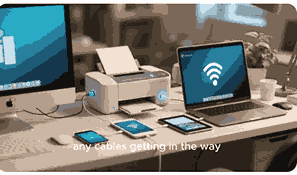
Multifunction printers (MFPs) have become essential tools in modern offices and homes, combining multiple capabilities such as printing, scanning, copying, and sometimes faxing into a single device. Designed to save space, reduce costs, and enhance productivity, these versatile machines cater to both personal and professional needs. Whether you are looking for high-speed printing, quality image scanning, or convenient wireless connectivity, multifunction printers offer a streamlined solution. Understanding their features, types, and functionality can help you select the right model and maximize its benefits for everyday tasks.
What Is A Printer?
A printer is an output device that converts digital information from a computer, smartphone, or tablet into a tangible, physical format on paper or other media. Printers use different technologies, including inkjet, laser, and thermal, to produce text, graphics, or images. Modern printers can be connected via USB, Wi-Fi, or network connections, enabling users to print documents from multiple devices seamlessly. Printers vary in speed, resolution, and paper-handling capabilities, and choosing the right one depends on your printing volume, quality expectations, and additional functionalities such as scanning or copying.
Types Of Multifunction Printers
Multifunction printers come in several types, primarily categorized as inkjet and laser. Inkjet MFPs are ideal for home use or small offices that require high-quality photo printing and low-volume tasks. Laser MFPs are more suitable for larger offices due to their fast printing speeds, efficiency, and lower cost per page for high-volume printing. Some advanced multifunction printers also include fax capabilities, duplex printing, and cloud connectivity, making them ideal for professional environments. Choosing between these types depends on your specific needs, budget, and desired features, including print speed, resolution, and ongoing maintenance costs.
Key Features Of A Multifunction Printer
Modern multifunction printers offer a wide range of features beyond basic printing. Scanning and copying are standard, with options for color or black-and-white output. Many MFPs provide wireless printing, mobile app integration, automatic document feeders (ADF), duplex printing, and cloud services. Some models include touchscreen interfaces for easy navigation, security features to protect sensitive data, and energy-saving modes. Understanding the key features ensures you select a printer that aligns with your workflow, whether for small business use, home office tasks, or creative projects.
Benefits Of Using A Multifunction Printer
The primary advantage of multifunction printers is convenience, combining several devices into one unit. They save office space, reduce energy consumption, and simplify maintenance. Cost efficiency is another significant benefit, as investing in a single MFP can be cheaper than purchasing separate devices. Multifunction printers also enhance productivity by allowing users to print, scan, copy, and fax without switching between machines. Additionally, many modern MFPs support mobile printing, cloud services, and secure data handling, making them an indispensable tool for businesses seeking efficiency and streamlined operations.
How To Choose The Right Multifunction Printer
Selecting the right multifunction printer involves assessing your printing volume, required features, and budget. Consider print speed, print quality (measured in DPI), connectivity options, and paper-handling capabilities. Features such as duplex printing, automatic document feeders, and cloud integration can significantly impact workflow efficiency. For businesses, security features and cost per page are crucial, while home users may prioritize affordability and compact design. Reading reviews, comparing models, and understanding your specific needs will help ensure you invest in a multifunction printer that meets your expectations and provides long-term reliability.
Maintenance And Troubleshooting Tips
Maintaining a multifunction printer involves regular cleaning, timely replacement of consumables like ink or toner, and ensuring software and firmware are up to date. Avoid paper jams by using the correct paper type and keeping the feed tray clean. Troubleshooting common issues such as connectivity problems, streaks, or low-quality prints often requires consulting the user manual, updating drivers, or performing calibration. For long-term performance, consider using genuine manufacturer supplies and following recommended maintenance schedules. Proper care prolongs the lifespan of the printer while ensuring consistent print quality and efficiency.
Frequently Asked Questions
1. What Is A Multifunction Printer?
A multifunction printer is a single device that combines multiple functions including printing, scanning, copying, and sometimes faxing, offering convenience and efficiency in one compact unit. These printers are designed for both home and office use, allowing users to handle a variety of document management tasks without needing separate machines. Multifunction printers often come with features such as wireless connectivity, duplex printing, and cloud integration, which streamline workflows and save time. They can be inkjet-based for high-quality color printing or laser-based for fast, high-volume tasks. Choosing a multifunction printer depends on your specific needs, including print volume, speed, and desired additional features.
2. How Does A Multifunction Printer Work?
A multifunction printer works by integrating several printing and imaging technologies into one system. For printing, inkjet MFPs spray tiny droplets of ink onto paper, while laser MFPs use toner and heat to produce text and images. Scanning and copying involve capturing images or text via sensors and reproducing them digitally or on paper. Advanced models may connect to computers, mobile devices, or cloud platforms through Wi-Fi, USB, or Ethernet, enabling seamless printing, sharing, and storage. The printer’s software manages all functions, allowing the user to control print settings, scan resolutions, and fax options from a single interface.
3. What Are The Types Of Multifunction Printers?
Multifunction printers are generally divided into two main types: inkjet and laser. Inkjet MFPs are ideal for home or small office use due to their ability to produce high-quality color prints and detailed images. Laser MFPs are better suited for large offices with high-volume printing needs, offering faster output and lower cost per page. Some multifunction printers also provide fax capabilities, wireless connectivity, duplex printing, and cloud integration. The choice between these types depends on your requirements for print speed, quality, volume, and maintenance costs, ensuring the printer matches your specific workflow and usage demands.
4. What Features Should I Look For In A Multifunction Printer?
When selecting a multifunction printer, consider essential features such as print speed, print quality, paper-handling capacity, and connectivity options. Additional features like duplex printing, automatic document feeder (ADF), wireless and mobile printing, cloud integration, and security options can significantly enhance efficiency. Touchscreen interfaces make navigation easier, while energy-saving modes help reduce operational costs. Depending on your needs, you may prioritize certain functions over others; for instance, home users may favor compact design and color printing, whereas businesses may require robust network integration and high-volume capabilities to support multiple users.
5. Are Multifunction Printers Cost-Effective?
Yes, multifunction printers are cost-effective because they combine several functions in one device, reducing the need to purchase separate printers, scanners, copiers, or fax machines. They also save space and energy while simplifying maintenance. The cost per page is often lower for laser-based multifunction printers, especially in high-volume environments, while inkjet models are ideal for low-volume, high-quality printing. Over time, MFPs can reduce operational costs by consolidating equipment and streamlining document management, making them an efficient investment for both homes and businesses seeking productivity and convenience in one device.
6. Can Multifunction Printers Print Wirelessly?
Yes, most modern multifunction printers support wireless printing, allowing users to send print jobs from computers, smartphones, or tablets without a physical connection. Wireless connectivity options include Wi-Fi, Bluetooth, or mobile app integration, enabling printing from virtually anywhere within range. Many printers also support cloud printing services such as Google Cloud Print or Apple AirPrint, which facilitates remote document management and sharing. Wireless multifunction printers provide flexibility, eliminate cable clutter, and enhance workflow efficiency, especially in environments where multiple devices need access to the printer simultaneously.
7. What Is The Difference Between Inkjet And Laser Multifunction Printers?
The main difference between inkjet and laser multifunction printers lies in their printing technology and suitability for different tasks. Inkjet MFPs spray liquid ink directly onto paper, producing high-quality color prints suitable for photos and detailed documents, but they have slower print speeds and higher cost per page for high-volume use. Laser MFPs use toner and heat to transfer images, offering fast printing, low cost per page, and durability for large print volumes, though color printing quality may be less vivid. The choice depends on your priorities: quality and detail for inkjet, speed and efficiency for laser.
8. How Do I Maintain A Multifunction Printer?
Maintaining a multifunction printer involves routine cleaning, replacing consumables like ink or toner cartridges on time, and keeping software and firmware up to date. Ensure the paper tray is clean to prevent jams and use recommended paper types to maintain print quality. Periodically check for dust in the scanning area and calibrate the printer if print alignment issues occur. Using genuine manufacturer supplies can prolong printer lifespan, while avoiding excessive use outside the recommended volume ensures consistent performance. Proper maintenance ensures high-quality prints, reliable functionality, and a longer lifespan for your multifunction printer.
9. Can Multifunction Printers Scan And Copy Documents?
Yes, scanning and copying are core functions of all multifunction printers. Scanning captures a digital image of a document or photo, which can be saved on a computer, cloud storage, or email. Copying allows users to reproduce documents directly onto paper without a computer by combining scanning and printing processes. Many MFPs include features such as color scanning, duplex scanning, and adjustable resolution, making them versatile for personal and professional tasks. Advanced models often offer automatic document feeders for batch scanning and copying, further enhancing productivity and convenience.
10. Are Multifunction Printers Suitable For Home Use?
Multifunction printers are highly suitable for home use, particularly for individuals who need a combination of printing, scanning, and copying capabilities in one device. Compact inkjet MFPs are ideal for homes, offering high-quality color printing for school projects, photos, or personal documents. Many models support wireless printing from smartphones and tablets, enhancing convenience. Users benefit from space-saving design, cost efficiency, and simplified maintenance compared to having separate devices. Home multifunction printers are increasingly popular due to their versatility, ease of use, and ability to handle a variety of everyday printing and scanning tasks efficiently.
11. How Do Multifunction Printers Connect To Devices?
Multifunction printers connect to devices using USB, Ethernet, or wireless technologies such as Wi-Fi or Bluetooth. Some models support direct printing from smartphones or tablets through apps or cloud-based services like Google Drive and Dropbox. Networked MFPs allow multiple users to access the printer simultaneously, making them ideal for office environments. The printer’s software or drivers facilitate communication between the device and the printer, enabling functions like print job management, scanning, and faxing. Choosing the right connectivity option depends on your workflow, the number of users, and the level of mobility or remote printing required.
12. What Is Duplex Printing In Multifunction Printers?
Duplex printing refers to the ability of a multifunction printer to print on both sides of a paper automatically. This feature saves paper, reduces costs, and is environmentally friendly. Duplex printing is particularly useful in offices and homes where large volumes of documents are printed regularly. Not all MFPs include automatic duplex functionality; some require manual flipping of pages. Advanced models integrate duplex scanning and copying as well, further enhancing efficiency. Duplex printing supports professional document presentation, streamlines workflows, and reduces the environmental footprint associated with excessive paper use.
13. Can Multifunction Printers Fax Documents?
Yes, many multifunction printers include fax capabilities, allowing users to send and receive documents over telephone lines. Fax-enabled MFPs are useful in offices where legal or official document transmission is required. Some modern models combine faxing with scanning and digital document management, enabling users to send faxes directly from computers or mobile devices. While faxing is less common due to email and cloud services, having an integrated fax function in a multifunction printer provides additional versatility, ensuring users can manage all document types without needing a separate fax machine.
14. How Fast Are Multifunction Printers?
The speed of multifunction printers varies depending on the model and technology used. Laser MFPs are typically faster, printing 20–60 pages per minute (ppm) or more, while inkjet MFPs usually range from 5–20 ppm. Factors affecting speed include print resolution, paper type, and the complexity of the document. High-volume offices benefit from faster MFPs, whereas home or small office users may prioritize print quality over speed. Manufacturers provide specifications for pages per minute for both black-and-white and color prints, allowing users to choose a printer that meets their workload requirements efficiently.
15. Are Multifunction Printers Environmentally Friendly?
Many multifunction printers are designed with environmental considerations, offering energy-saving modes, duplex printing, and low-power consumption features. Reducing the need for multiple devices also conserves resources and decreases electronic waste. Some manufacturers provide recycling programs for toner and ink cartridges, contributing to sustainability efforts. Choosing a multifunction printer with eco-friendly certifications or features supports green practices while maintaining efficiency and productivity. Users benefit from lower energy costs, reduced paper usage, and environmentally responsible printing solutions.
16. Can I Print Photos With A Multifunction Printer?
Yes, multifunction printers can print photos, particularly inkjet MFPs that offer high-resolution color output. Many models support specialized photo paper and advanced printing options to ensure sharp, vibrant images. Laser MFPs can also print photos but typically with less color accuracy and detail compared to inkjets. Photo printing features may include color correction, borderless printing, and high-DPI resolution. Multifunction printers designed for home or professional use can handle both standard documents and high-quality photo prints, making them versatile tools for personal, creative, and business projects.
17. How Do I Troubleshoot A Multifunction Printer?
Troubleshooting a multifunction printer often involves checking connections, updating drivers, and ensuring the printer is properly configured. Common issues include paper jams, low-quality prints, and connectivity errors. Users should refer to the printer manual for specific error codes and perform calibration or cleaning as needed. Resetting the printer, reinstalling drivers, and using genuine consumables can resolve many problems. Advanced MFPs may have built-in diagnostic tools and maintenance alerts that simplify troubleshooting and help maintain consistent performance and reliability.
18. Can Multiple Users Share A Multifunction Printer?
Yes, multifunction printers can be shared by multiple users in a networked environment. Networked MFPs connect via Ethernet or Wi-Fi, allowing several computers, smartphones, or tablets to access printing, scanning, and copying functions simultaneously. User management features, such as account tracking and access controls, ensure security and accountability in shared environments. Shared multifunction printers are common in offices, schools, and co-working spaces, providing centralized document management and reducing the need for multiple devices while supporting efficient workflows for multiple users.
19. What Is The Lifespan Of A Multifunction Printer?
The lifespan of a multifunction printer depends on the model, usage, and maintenance practices. Typically, inkjet MFPs last 3–5 years, while laser MFPs can last 5–7 years or longer under moderate use. Factors affecting lifespan include print volume, quality of components, and adherence to maintenance schedules. Regular cleaning, timely replacement of consumables, and using recommended paper and toner or ink cartridges can extend the printer’s functional life. Choosing a reliable brand and model suited to your workload ensures long-term performance and return on investment.
20. Are Multifunction Printers Worth Buying?
Multifunction printers are worth buying if you need a versatile, space-saving, and cost-efficient device that handles printing, scanning, copying, and faxing. They offer convenience, productivity, and integration with modern digital workflows. For home users, MFPs provide high-quality printing and ease of use, while businesses benefit from streamlined document management and networked capabilities. With a wide range of models, features, and price points, multifunction printers can meet diverse needs, making them a valuable investment for anyone seeking efficiency, convenience, and reliability in document handling and printing tasks.
FURTHER READING
- How To Fix Printer Alignment Issues | A Step-By-Step Solutions For Printer Alignment Problems
- How To Connect A Printer To Your Computer | Easy Printer Setup And Connection Guide
- How Much Does A Printer Cost? | Printer Prices, Buying Guide, And Cost Factors
- How To Connect A Printer To Windows 10 And Windows 11 | Easy Setup, Installation, And Troubleshooting Guide For Beginners
- How To Connect A Printer To Windows | Easy Setup And Troubleshooting Guide For Windows Printers
- How To Connect A Printer To A Mac | Easy Setup, Wireless Printing, And Troubleshooting Guide For macOS
- How To Add A Printer To Your Computer | Easy Step-By-Step Guide To Connect Printers To Computers
- What Is The Best Printer For My Needs? | A Complete Guide To Choosing The Right Printer For Your Needs
- How To Connect A Printer To A Tablet | Easy Guide To Printing From Tablets For Better Productivity
- Why Your Printer Print Slowly | Common Causes, Fixes, And Speed Optimization Tips