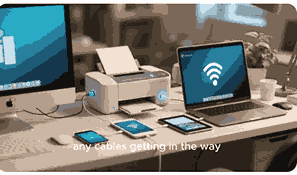
Printing is one of the most essential tasks in both homes and offices, but not everyone has constant internet access. Many users often wonder if it is possible to print without being connected to Wi-Fi, mobile data, or cloud services. The good news is that printing without internet is absolutely possible and can be done in different ways depending on the type of printer you own. From traditional USB connections to direct wireless printing and offline drivers, there are multiple methods that allow printing even without an active internet connection. Understanding how offline printing works can help you set up your printer efficiently and avoid interruptions in your work.
What Is A Printer?
A printer is an electronic device that takes digital information from a computer, smartphone, or tablet and converts it into a physical printed format on paper. Printers have evolved from simple monochrome machines to highly advanced multifunctional devices that can scan, copy, fax, and print in both color and black-and-white. They can connect through USB cables, Bluetooth, Wi-Fi, or Ethernet depending on the model. While many modern printers rely heavily on wireless connectivity and cloud services, traditional wired connections remain common and effective. Printers are widely used in homes, schools, and businesses to create hard copies of important documents, reports, contracts, images, and photographs. Whether connected to the internet or working offline, printers continue to play an essential role in modern productivity.
Different Ways To Print Without Internet
You can print without internet using several methods. The most common method is connecting your printer directly to your computer using a USB cable. This allows data transfer without relying on Wi-Fi. Another method is using Bluetooth-enabled printers, which allow direct pairing with your phone, laptop, or tablet. Some printers also support Wi-Fi Direct, a feature that lets devices communicate without going through a router. Additionally, memory card or flash drive printing is possible on models that include ports or card readers. Each of these offline printing methods makes it possible to get physical copies of documents even when the internet is unavailable.
Using USB Connection To Print Without Internet
A USB connection is the most reliable and traditional way to print without internet. Nearly every printer, whether old or new, includes a USB port that connects directly to your computer. When you connect the printer via USB, your computer recognizes it as a local device, enabling you to print documents without needing Wi-Fi or cloud access. This method is especially useful for desktop computers, laptops, and workplaces where internet connectivity is limited. The process usually requires installing the correct drivers for your printer model, which can be downloaded once and used offline afterward. USB printing is fast, secure, and ensures that your data remains private.
Printing Using Bluetooth Connection
Bluetooth printing provides a wireless alternative for printing without internet. Many portable and modern printers come with built-in Bluetooth connectivity. Once paired with your smartphone, tablet, or laptop, you can send print jobs directly to the printer without needing Wi-Fi. This is particularly convenient for mobile users who frequently print on the go. Bluetooth printing is easy to set up, but its range is usually limited to around 30 feet. It is best suited for small-scale printing tasks such as receipts, documents, and photos. Unlike Wi-Fi printing, Bluetooth connections are direct and do not require a router, making them ideal for offline use.
Printing With Wi-Fi Direct Technology
Wi-Fi Direct is another efficient way to print without internet. Unlike standard Wi-Fi printing, Wi-Fi Direct allows your printer to create its own wireless network, enabling devices to connect directly without a router. This feature is available in many modern printers and is especially helpful for smartphones and tablets. Once connected, you can send print commands directly from your device. Wi-Fi Direct ensures faster transfer speeds compared to Bluetooth, and it works within a broader range. It is commonly used in offices and households that prefer wireless printing without depending on an internet connection or external access points.
Printing From Memory Card Or Flash Drive
Some printers include memory card slots or USB flash drive ports, allowing users to print directly from external storage devices. This method completely bypasses the need for a computer or internet connection. By inserting an SD card, microSD card, or USB flash drive into the printer, you can select files using the printer’s display panel and print them instantly. This is particularly useful for printing images and documents saved directly on portable storage. It is a fast and convenient offline printing method for photographers, students, and professionals who frequently carry files on memory devices.
Advantages Of Printing Without Internet
Printing without internet offers several benefits. It ensures uninterrupted access to your printer even during network failures. It also improves security by reducing exposure to cyber threats since offline printers are not accessible over the internet. USB and direct connections also provide faster response times and fewer connection issues compared to cloud-based printing. Offline printing is highly useful in rural areas, traveling situations, or places with weak internet coverage. Additionally, businesses that handle sensitive documents often prefer offline printing to maintain data privacy. Overall, the ability to print without internet ensures flexibility and reliability across different environments.
Disadvantages Of Printing Without Internet
While printing without internet has advantages, it also comes with limitations. Offline printing usually restricts remote access, meaning you cannot print from another location. Cloud services and network printing features become unavailable, making it less convenient for team-based workflows. Bluetooth connections may be slow for large files, while USB printing requires physical proximity to the printer. Some advanced printer features, such as automatic software updates or cloud storage integration, may also be inaccessible without internet. For users who rely heavily on wireless printing from multiple devices, offline printing can feel restrictive. Balancing offline and online methods is often the best approach.
How To Choose The Best Offline Printing Method
Choosing the right offline printing method depends on your needs and printer capabilities. For home users who work mainly on desktop computers, USB printing is often the most reliable choice. If mobility is important, Bluetooth and Wi-Fi Direct printing are better options. For photographers or professionals handling large media files, memory card and flash drive printing provide convenience without requiring a computer. Always check your printer’s specifications to see which offline features are supported. Additionally, installing printer drivers in advance ensures smooth offline operation. The best offline method is one that fits your usage style while maintaining printing efficiency.
Conclusion
Printing without internet is not only possible but also highly practical depending on your setup and needs. Whether through USB, Bluetooth, Wi-Fi Direct, or external storage devices, there are multiple ways to achieve offline printing. While internet connectivity offers more convenience, offline printing ensures reliability, privacy, and independence from network issues. Choosing the right method depends on your device, location, and printing requirements. Having the flexibility to print without internet gives you complete control over your work and guarantees access to your documents anytime, anywhere.
Frequently Asked Questions
1. Can I Print From My Printer Without Internet?
Yes, you can print from your printer without internet by using several offline methods. The most common option is connecting your printer to your computer via a USB cable, which allows direct data transfer without requiring Wi-Fi. Many printers also support Bluetooth printing, enabling wireless communication with phones, laptops, and tablets. Wi-Fi Direct is another method where your printer creates its own wireless network for direct connections. Additionally, certain printers have memory card slots or USB ports, letting you print directly from external storage devices. These offline methods ensure you can always print documents, even in places where internet access is unavailable or unreliable.
2. How Do I Print Using A USB Connection Without Internet?
Printing using a USB connection without internet is simple and effective. First, connect your printer to your computer using a compatible USB cable. Once connected, the computer should automatically detect the printer, although you may need to install drivers if it is your first time using the device. After setup, you can send print jobs directly from your computer to the printer without relying on Wi-Fi or cloud services. USB connections provide fast and secure printing, making them ideal for offices, schools, and homes. This method is especially useful when internet connectivity is weak or unavailable but printing tasks must continue.
3. Can I Print From My Phone Without Internet?
Yes, you can print from your phone without internet using Bluetooth or Wi-Fi Direct. Many modern printers support Bluetooth connectivity, which allows smartphones to pair directly with the printer. Once paired, you can send documents and images to print instantly. Another option is Wi-Fi Direct, where the printer generates its own wireless signal, enabling your phone to connect without needing a router. Some printers also support direct USB-to-phone printing using an OTG (On-The-Go) adapter. These offline options make it possible to print from mobile devices without internet, providing flexibility for users on the move.
4. What Is Wi-Fi Direct Printing Without Internet?
Wi-Fi Direct printing allows devices to connect directly to a printer without needing internet or a router. When enabled, the printer creates its own wireless signal, which can be detected by smartphones, tablets, or computers. Once connected, users can send print commands directly to the printer without relying on cloud services. Wi-Fi Direct printing is faster and more reliable than Bluetooth because it supports higher data transfer rates and a wider range. It is particularly useful for households or small offices where internet connections may not always be stable. This offline method ensures quick and efficient printing anytime.
5. Can Bluetooth Printers Work Without Internet?
Yes, Bluetooth printers can work without internet. Bluetooth technology enables direct pairing between your device and the printer without the need for Wi-Fi or an online connection. Once the pairing process is completed, you can send documents, images, or files to print immediately. Bluetooth printing is especially beneficial for mobile users who need to print while traveling or in areas with no internet. The range is usually limited to about 30 feet, making it suitable for short-distance printing. Although slower than Wi-Fi Direct, Bluetooth printing remains one of the easiest ways to print offline using smartphones and laptops.
6. How Do I Print From A Memory Card Without Internet?
Printing from a memory card without internet is straightforward on printers that support card readers. Insert your SD card, microSD card, or memory stick directly into the slot available on your printer. Once inserted, the printer’s display panel will allow you to browse files and select the ones you want to print. This process eliminates the need for a computer or internet connection, making it highly convenient for photographers and students. You can print photos, documents, or presentations directly from storage. This offline method provides fast and easy printing when files are already saved on external memory devices.
7. What Are The Benefits Of Printing Without Internet?
Printing without internet has multiple advantages. It ensures that your printing tasks continue even when Wi-Fi is unavailable or disrupted. Offline printing also increases data security since documents are not transferred over the internet, reducing exposure to cyber threats. It is faster and more stable because direct connections like USB or Bluetooth do not rely on external networks. Additionally, offline printing is essential for users in rural areas or workplaces with restricted internet use. For sensitive environments such as government offices, offline printing helps maintain confidentiality. Overall, it provides reliability, security, and independence from online systems.
8. What Are The Disadvantages Of Printing Without Internet?
While offline printing offers reliability, it has some drawbacks. One of the main disadvantages is the lack of remote printing capabilities. Without internet, you cannot send print jobs from outside locations using cloud-based services. Bluetooth connections may be slower and limited to short ranges, while USB requires physical proximity. Another limitation is the inability to automatically update printer software or drivers without going online. Some advanced features, such as cloud storage printing or mobile app integration, will also be unavailable. Despite these drawbacks, offline printing remains highly effective for essential document and photo printing.
9. Do All Printers Support Offline Printing Without Internet?
Not all printers support every type of offline printing method, but most can function without internet. Nearly all printers include a USB port, allowing for wired connections. Many newer models also feature Bluetooth and Wi-Fi Direct for wireless offline printing. Some advanced printers even support direct memory card or USB flash drive printing. However, cloud-dependent printers such as certain Google Cloud Print-only models may have limited offline functions. It is always best to check the user manual or specifications to confirm which offline methods are supported by your printer before setting it up for offline use.
10. How Do I Print Securely Without Internet?
Printing securely without internet involves using direct connections such as USB or Bluetooth. Since offline printers are not connected to a network, the risk of hacking or unauthorized access is significantly reduced. Sensitive documents remain within your control and are not transmitted over public or private networks. For added security, always ensure your printer drivers are updated beforehand and stored on your computer for offline use. Businesses handling confidential contracts, legal documents, or financial records often prefer offline printing for maximum privacy. Overall, offline printing provides one of the most secure ways to manage and print important data.
11. Can I Use A Wireless Printer Without Internet?
Yes, you can use a wireless printer without internet by enabling Wi-Fi Direct or Bluetooth. Wireless printers typically connect through a router for online printing, but Wi-Fi Direct creates a private connection between your device and the printer without requiring internet. Bluetooth provides another wireless option for offline printing. Some models also include USB ports as backup, allowing them to work even without wireless signals. These options ensure that your wireless printer is versatile enough to function in both online and offline environments. Many households and small businesses rely on these offline features when Wi-Fi is unavailable.
12. What Is The Difference Between Offline And Online Printing?
The main difference between offline and online printing lies in how the printer receives print jobs. Offline printing uses direct connections such as USB, Bluetooth, Wi-Fi Direct, or external storage devices without requiring internet access. Online printing, on the other hand, relies on Wi-Fi, cloud services, or network connections to process print commands. Offline printing is more secure and reliable in places with limited internet, while online printing offers convenience and remote access. Both methods have unique benefits, and choosing the right one depends on your specific needs and the features available on your printer model.
13. How Do I Troubleshoot Offline Printing Problems?
Troubleshooting offline printing problems begins by checking the connection type. If you are using USB, ensure the cable is securely plugged into both the computer and the printer. For Bluetooth, confirm the devices are properly paired and within range. With Wi-Fi Direct, verify that your device is connected to the printer’s network. Restarting the printer and reinstalling drivers can also fix compatibility issues. If printing from memory cards or flash drives, make sure the files are in supported formats. Consistently updating printer drivers while connected to the internet ensures smoother offline operation later. These steps help resolve common issues.
14. Can I Print Without Internet Using A Laptop?
Yes, you can print without internet using a laptop. The most common method is connecting the laptop to the printer with a USB cable, which allows immediate printing without Wi-Fi. If your laptop and printer support Bluetooth, you can pair them for wireless offline printing. Wi-Fi Direct is another option, enabling the laptop to connect directly to the printer’s private signal. For files stored on external memory devices, some printers also allow direct printing without requiring the laptop. These methods ensure that laptops remain versatile tools for offline printing across various environments.
15. Is Printing Without Internet Faster Than Online Printing?
In many cases, printing without internet can be faster than online printing. Direct connections such as USB and Wi-Fi Direct transmit data more efficiently than cloud services, which rely on internet speed and router performance. With offline printing, files are sent straight to the printer without passing through external servers. This reduces delays and eliminates dependency on network stability. Bluetooth may be slower for large files, but for standard documents, it is still effective. Overall, offline printing can save time by minimizing network-related interruptions and ensuring smoother, more direct communication with the printer.
16. Can I Print Photos Without Internet?
Yes, you can print photos without internet using several offline methods. Many printers have memory card slots and USB ports, allowing you to insert storage devices directly and select photos to print. You can also connect your computer or laptop via USB and send image files directly to the printer. Bluetooth and Wi-Fi Direct also make it possible to print photos wirelessly without a router or internet connection. These offline options are particularly useful for photographers and hobbyists who often work in areas without Wi-Fi but still require instant access to high-quality photo prints.
17. How Do I Print Documents Without Internet In An Office?
In an office environment, printing documents without internet can be done by connecting printers directly to computers through USB or enabling Wi-Fi Direct for wireless use. Businesses that use centralized printers often set up Ethernet connections for local printing, which works independently of internet access. Some offices also rely on memory card and USB flash drive printing for fast offline document production. Offline printing is especially useful during internet outages, ensuring workflows are not interrupted. By preparing drivers and connection methods in advance, offices can continue to function smoothly even without internet access.
18. Can Printers Update Without Internet?
No, printers cannot update their firmware or drivers without internet. Updates require downloading files from the manufacturer’s servers, which can only be done while connected online. However, once updates are downloaded and installed, the printer can continue to operate offline without issues. For users who plan to print without internet for extended periods, it is recommended to perform necessary updates beforehand. This ensures compatibility, stability, and security. While offline printing functions well without updates, occasional online updates help improve performance and fix bugs that could affect long-term use of the printer.
19. Can I Print Without Internet While Traveling?
Yes, you can print without internet while traveling using portable printers that support Bluetooth, Wi-Fi Direct, or USB connections. These compact devices are designed for mobility and allow printing from laptops, tablets, or smartphones without requiring Wi-Fi. Some travel-friendly printers also support direct printing from memory cards or USB flash drives. Portable Bluetooth printers are especially popular for printing photos and documents on the go. They provide convenience for business travelers, students, and tourists who may not always have access to reliable internet. Offline printing ensures that travel-related tasks continue seamlessly anywhere.
20. How Do I Know If My Printer Supports Offline Printing Without Internet?
To know if your printer supports offline printing without internet, check the user manual or specifications. Most printers include at least one offline method, such as USB connectivity. Many modern printers also feature Bluetooth and Wi-Fi Direct, allowing wireless offline printing. Advanced models often include memory card slots or USB ports for external storage. On the printer’s display panel or settings, you may find options like “Wi-Fi Direct” or “Bluetooth.” If unsure, you can also visit the manufacturer’s website for detailed support documentation. Understanding your printer’s capabilities ensures you can print anytime, even without internet access.
FURTHER READING
- How To Set Up A Network Printer | Easy Guide To Connect And Configure Printers On A Network
- What Is A Plotter Printer? | Definition, Functions, Features, Uses, And Benefits Of Plotter Printers
- Why Is My Printer Printing Slow Over Wi-Fi? | Causes, Fixes, And Speed Optimization For Wireless Printers
- What Is The Best Printer For Photographs? | Top Photo Printers For Stunning Prints And Professional Quality
- What Is Printer Spooling? | Understanding Printer Spooling, Functions, Benefits, Errors, And Fixes For Smooth Printing
- How To Share A Printer Between Two Computers | Easy Steps To Share A Printer On Windows And Mac
- How To Connect A Printer To Bluetooth | Easy Steps To Set Up Wireless Printing On Any Device
- How To Install A Printer Driver | A Step-By-Step Guide For Windows, Mac, And Network Printers
- How To Fix Printer Connectivity Issues | Troubleshooting Printer Connection Problems For Seamless Printing
- What Is A Printer Driver? | Understanding Printer Software, Installation, And Compatibility