

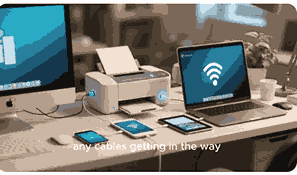
Multifunction printers (MFPs) have transformed modern offices and homes by combining printing, scanning, copying, and sometimes faxing into a single device. These all-in-one machines save space, increase productivity, and simplify document management. Understanding how a multifunction printer works is essential for anyone looking to maximize efficiency and maintain their device properly. From the internal mechanics of printing to the software controlling multiple functions, every aspect of MFPs is designed to streamline daily tasks. This article explores the intricate workings, features, and practical usage tips of multifunction printers, ensuring both beginners and professionals can optimize their devices.
What Is A Multifunction Printer?
A multifunction printer, commonly referred to as an MFP, is a versatile device that integrates multiple functions into a single machine. Typically, it combines printing, scanning, copying, and sometimes faxing capabilities. MFPs can be connected via USB, Ethernet, or Wi-Fi, enabling seamless integration with computers, mobile devices, and cloud services. These printers are designed to reduce the need for multiple standalone devices, saving space and improving workflow efficiency. Modern multifunction printers often include advanced features such as duplex printing, high-resolution scanning, mobile printing apps, and energy-saving modes. They are widely used in homes, small offices, and large enterprises for their convenience, cost-effectiveness, and multi-functionality.
How Does The Printing Process Work In A Multifunction Printer?
The printing process in a multifunction printer begins with receiving a digital document from a connected device. Depending on the printer type, either inkjet or laser technology is used. In inkjet MFPs, tiny nozzles spray liquid ink onto paper with high precision, forming text and images. Laser printers use a laser beam to create an electrostatic image on a drum, which attracts toner particles and transfers them onto paper. The paper then passes through a fuser, which melts the toner to produce a permanent print. Multifunction printers also include software drivers that manage print settings, paper sizes, and color quality, ensuring consistent results every time.
How Scanning Works In Multifunction Printers
Scanning in a multifunction printer involves capturing an image or text from a physical document and converting it into a digital format. The device uses a light source, typically a lamp or LED, to illuminate the document. An optical sensor or charge-coupled device (CCD) captures the reflected light, creating a digital image. Most MFPs support multiple file formats, including PDF, JPEG, and TIFF, allowing users to save, edit, or share scanned documents easily. Advanced features such as OCR (Optical Character Recognition) enable text extraction from images, facilitating editing and searching within scanned files. Wireless and cloud connectivity options further enhance scanning convenience.
Copying Function In Multifunction Printers
The copying function in an MFP is essentially a combination of scanning and printing. When a document is placed on the scanner bed or fed through the automatic document feeder (ADF), the scanner captures its image. The printer then reproduces the image onto a new sheet of paper, creating an identical copy. Users can adjust settings like copy quantity, size reduction or enlargement, color mode, and duplex copying. Modern multifunction printers often allow multiple copies of large documents to be produced efficiently while maintaining high resolution and color accuracy, making them suitable for both office and home use.
Connectivity Options And Software Integration

Multifunction printers support various connectivity options to accommodate different workflows. USB connections are common for direct computer access, while Ethernet enables networked printing across multiple devices. Wi-Fi and mobile printing allow remote access from smartphones, tablets, and cloud services. Many MFPs also integrate with software platforms for document management, cloud storage, and workflow automation. This integration simplifies printing, scanning, and sharing documents in real-time. Device drivers and apps offer enhanced control over print quality, scanning resolution, and security settings, making multifunction printers highly adaptable to both personal and professional environments.
Maintenance Tips For Multifunction Printers
Regular maintenance ensures optimal performance and longevity of multifunction printers. Cleaning the scanner glass, replacing ink or toner cartridges, and checking paper feeds help prevent jams and reduce wear. Firmware updates and driver installations are also crucial for keeping software compatibility and improving functionality. Some multifunction printers include self-cleaning mechanisms and alerts for low supplies or potential issues. Proper handling of the printer, using recommended paper types, and avoiding overloading trays contribute to consistent output quality and fewer operational interruptions, ensuring a reliable printing and scanning experience.
Advantages Of Using A Multifunction Printer
Multifunction printers offer several benefits over separate devices. They save office space, reduce energy consumption, and minimize maintenance costs by consolidating multiple functions into one machine. MFPs streamline document management, improve workflow efficiency, and enable faster processing of tasks like scanning, copying, and printing. Advanced features like duplex printing, cloud integration, and wireless connectivity further enhance convenience. For businesses, multifunction printers reduce equipment clutter and operational complexity, while home users enjoy the ease of performing multiple document-related tasks without purchasing separate devices.
Common Issues And Troubleshooting
Despite their versatility, multifunction printers may encounter issues such as paper jams, connectivity problems, low-quality prints, or scanner errors. Diagnosing the problem usually involves checking hardware, software, and network configurations. Firmware updates, driver reinstallation, and proper paper handling often resolve common issues. Consulting the user manual, manufacturer support, or online forums can provide guidance for complex problems. Routine maintenance, cleaning, and timely replacement of consumables minimize interruptions and extend the printer’s life, ensuring reliable performance.
Choosing The Right Multifunction Printer
Selecting the right MFP depends on your specific needs, budget, and expected workload. Factors to consider include print speed, resolution, paper handling capacity, connectivity options, and additional features like faxing or duplex printing. For high-volume offices, laser multifunction printers are often preferred for faster output and lower per-page costs, while inkjet MFPs suit home users or small offices requiring high-quality color prints. Evaluating long-term costs, including toner, ink, and maintenance, ensures the device meets operational requirements without exceeding budget constraints.
Conclusion
Multifunction printers are indispensable devices for modern document management, combining multiple functions into a single, efficient machine. Understanding how they work, from printing and scanning to copying and connectivity, enables users to optimize their performance and extend device lifespan. By selecting the right MFP and performing regular maintenance, both home users and businesses can enjoy streamlined workflows, enhanced productivity, and high-quality output. Multifunction printers continue to evolve, offering smarter features, better connectivity, and user-friendly interfaces, making them essential tools in any office or home environment.
Frequently Asked Questions
1. How Does A Multifunction Printer Work?
A multifunction printer works by integrating printing, scanning, copying, and sometimes faxing functions into a single device. When printing, it receives digital data from a computer or mobile device and produces a physical copy using either inkjet or laser technology. Scanning captures images or text from physical documents and converts them into digital files, while copying combines scanning and printing to reproduce documents. Some MFPs include advanced features like duplex printing, cloud connectivity, and OCR, allowing for versatile usage. Connectivity options such as USB, Wi-Fi, and Ethernet enable multiple devices to access the printer simultaneously. Proper maintenance, including regular cleaning and firmware updates, ensures optimal performance.
2. What Are The Types Of Multifunction Printers?
Multifunction printers are commonly categorized into inkjet and laser types. Inkjet MFPs spray liquid ink through microscopic nozzles, ideal for high-resolution color prints but slower for large volumes. Laser MFPs use a laser beam to transfer toner onto paper, offering faster output and lower cost per page, making them suitable for offices. Some multifunction printers are hybrid models, combining both technologies. Additional classifications include compact home models versus high-volume office MFPs. Features like duplex printing, wireless connectivity, automatic document feeders, and cloud integration further differentiate models. Selecting the type depends on print volume, required quality, and connectivity preferences.
3. How Do I Connect A Multifunction Printer To My Computer?
Connecting a multifunction printer to a computer can be achieved via USB, Ethernet, or Wi-Fi. USB connections are straightforward, providing direct access for single-device usage. Ethernet connections allow networked access, enabling multiple devices to share the printer. Wi-Fi connectivity supports mobile and cloud printing, letting users print remotely from smartphones, tablets, or laptops. Installing the correct printer drivers and software ensures seamless operation. Many modern MFPs offer setup wizards or mobile apps to simplify installation. After connection, users can test print, scan, and copy functions to confirm successful integration.
4. What Is The Difference Between Inkjet And Laser Multifunction Printers?
Inkjet multifunction printers use liquid ink sprayed onto paper through tiny nozzles, providing excellent color accuracy and detail, making them ideal for photos and graphics. Laser MFPs use toner powder and electrostatic imaging to produce prints, offering faster speeds, higher durability, and lower cost per page, suitable for high-volume office tasks. Inkjet printers typically have lower initial costs but higher ongoing ink expenses, while laser printers require larger upfront investment but reduce long-term printing costs. The choice depends on usage requirements, such as print quality, speed, volume, and budget considerations.
5. Can A Multifunction Printer Scan To Email Or Cloud Services?
Yes, many modern multifunction printers support scanning to email or cloud storage. When scanning a document, the user can select the destination, which may include an email address, Google Drive, Dropbox, or other cloud platforms. Some MFPs integrate with apps or software to automate this process, allowing immediate sharing and collaboration. Advanced features like OCR can extract text from scanned images for editing or searching. Network and Wi-Fi connectivity are typically required to enable cloud scanning. This functionality improves workflow efficiency, reduces the need for physical document handling, and facilitates remote work or digital record-keeping.
6. How Do Automatic Document Feeders Work In Multifunction Printers?
Automatic document feeders (ADFs) allow users to scan, copy, or fax multiple pages without manually placing each sheet on the scanner glass. The ADF uses rollers to pull each page sequentially through the scanning mechanism. Duplex ADFs can automatically scan both sides of a page. This feature is especially useful in offices with high-volume scanning or copying tasks, saving time and improving efficiency. Modern multifunction printers often allow batch scanning directly to email, network folders, or cloud services. Proper maintenance, such as cleaning the rollers, prevents paper jams and ensures smooth operation of the ADF.
7. What Are The Common Problems With Multifunction Printers?
Common problems with multifunction printers include paper jams, connectivity issues, low-quality prints, scanner errors, and driver malfunctions. Paper jams often result from improper paper loading or worn rollers. Connectivity issues may occur with Wi-Fi or network configurations, while print quality problems can stem from clogged nozzles, low toner, or incorrect settings. Scanner errors may involve misalignment or software issues. Routine maintenance, driver updates, proper paper handling, and consulting the manufacturer’s guidelines help prevent or resolve these issues, ensuring smooth and reliable operation.
8. How Do I Maintain A Multifunction Printer?
Maintaining a multifunction printer involves regular cleaning, timely replacement of ink or toner, and proper handling of paper. Cleaning the scanner glass and internal rollers prevents streaks and paper jams. Firmware and driver updates ensure compatibility and enhanced functionality. Using recommended paper types, avoiding overloading trays, and following manufacturer guidelines reduce wear and tear. Some MFPs include self-cleaning mechanisms or alerts for maintenance needs. Routine upkeep prolongs device lifespan, ensures consistent output quality, and minimizes operational disruptions, keeping the printer efficient and reliable.
9. What Is Duplex Printing In Multifunction Printers?
Duplex printing is the ability of a multifunction printer to print on both sides of a sheet automatically. This feature saves paper, reduces costs, and supports environmentally friendly printing practices. Users can select duplex mode in printer settings, allowing single-pass or two-pass printing depending on the device. Some multifunction printers offer advanced duplex features for double-sided scanning, copying, or faxing. Proper paper selection and alignment are essential to prevent jams and maintain high-quality output. Duplex functionality is particularly beneficial in offices handling reports, manuals, or multi-page documents, increasing efficiency and reducing manual handling.
10. Can Multifunction Printers Print From Mobile Devices?
Yes, most modern multifunction printers support mobile printing. Using Wi-Fi, Bluetooth, or cloud-based applications, users can send documents and images directly from smartphones or tablets. Mobile apps like Google Cloud Print, Apple AirPrint, or manufacturer-specific applications allow easy configuration, selection of print settings, and direct output. Some MFPs also support NFC (Near Field Communication) for quick connections. Mobile printing enhances convenience, allowing remote or on-the-go access to printing, scanning, or copying functions without requiring a computer. It’s particularly useful for busy professionals, students, and home offices needing flexibility and efficiency.
11. How Energy Efficient Are Multifunction Printers?
Multifunction printers are designed with energy-saving features such as sleep modes, automatic power-off, and low-energy fuser systems. Consolidating multiple devices into one MFP reduces overall electricity consumption compared to operating separate printers, scanners, and copiers. Many modern devices are certified with energy efficiency labels like ENERGY STAR, indicating optimized performance with minimal power usage. Users can further enhance efficiency by configuring power management settings, reducing unnecessary printing, and using duplex functions. Energy-efficient MFPs contribute to lower operational costs and support sustainable office practices.
12. How Long Do Multifunction Printers Typically Last?
The lifespan of a multifunction printer depends on usage frequency, maintenance, and build quality. On average, home MFPs last around 3 to 5 years, while office-grade devices can operate reliably for 5 to 10 years or more. Factors like monthly duty cycle, paper volume, and environmental conditions affect longevity. Regular maintenance, proper handling, timely replacement of consumables, and software updates help extend service life. Investing in high-quality devices and following manufacturer guidelines ensures consistent performance and reduces the need for premature replacement.
13. Are There Security Concerns With Multifunction Printers?
Yes, multifunction printers connected to networks or cloud services can be vulnerable to security threats. Unauthorized access, data breaches, and intercepted print jobs pose potential risks. Modern MFPs include security features such as password protection, secure printing, encryption, user authentication, and audit trails to safeguard sensitive information. Network security, regular firmware updates, and proper configuration further mitigate risks. Organizations handling confidential data must implement comprehensive printer security protocols to prevent breaches, maintain privacy, and comply with regulatory standards.
14. How Do I Choose The Right Multifunction Printer For My Needs?
Choosing the right MFP involves assessing print volume, required functions, connectivity options, and budget. Consider whether inkjet or laser technology suits your workflow, and evaluate features such as duplex printing, automatic document feeders, and cloud integration. Connectivity options like Wi-Fi, Ethernet, and mobile printing support flexibility. Cost of consumables, maintenance, and expected device lifespan should also influence the decision. Comparing models, reading reviews, and considering manufacturer support ensures the selected multifunction printer meets performance requirements efficiently and economically.
15. Can Multifunction Printers Fax Documents?
Some multifunction printers include fax capabilities, allowing documents to be sent over phone lines to other fax machines. The fax function uses scanning technology to digitize the document and transmits it via a modem. Users can send single-page or multi-page faxes, often with options for speed dial, cover pages, and fax storage. Modern MFPs may also support Internet Fax, allowing sending and receiving faxes digitally through email or cloud services. While faxing is less common today, it remains relevant in certain industries requiring secure document transmission.
16. How Do Multifunction Printers Handle Large Volume Printing?
High-volume multifunction printers are designed with larger paper trays, faster print speeds, and more robust internal components. Laser MFPs excel in large print jobs due to low per-page costs and efficient toner usage. Automatic document feeders and duplex printing reduce manual intervention and increase productivity. Office-grade devices often include network integration, job scheduling, and management software to handle multiple users simultaneously. Regular maintenance and timely replacement of consumables ensure sustained performance under heavy workloads, making these printers ideal for busy offices and commercial environments.
17. What Is Optical Character Recognition In Multifunction Printers?
Optical Character Recognition (OCR) allows multifunction printers to convert scanned images of text into editable and searchable digital documents. OCR software analyzes characters and patterns, creating text files from physical documents. This feature is valuable for digitizing contracts, forms, and reports, enabling editing, searching, and storage in digital archives. Many MFPs include built-in OCR or software support, enhancing document management capabilities. OCR accuracy depends on document quality, font type, and scanner resolution. It significantly improves efficiency by eliminating the need for manual data entry and streamlining document workflows.
18. Can Multifunction Printers Handle Different Paper Sizes And Types?
Yes, most multifunction printers support various paper sizes, including A4, A3, letter, legal, and envelopes. Advanced models can handle specialty media such as labels, cardstock, photo paper, and transparencies. Users can configure paper trays and settings to accommodate different sizes and types, ensuring correct alignment and print quality. Duplex printing and automatic feeder adjustments also support diverse media. Selecting compatible media and properly loading trays prevents jams and maintains high-quality output. Versatility in paper handling makes MFPs suitable for creative projects, business documents, and professional printing tasks.
19. How Do Firmware And Software Updates Affect Multifunction Printers?
Firmware and software updates optimize multifunction printer performance, improve security, and enable new features. Updates can fix bugs, enhance print quality, resolve connectivity issues, and maintain compatibility with operating systems or mobile apps. Many MFPs provide automatic or manual update options via network connections or manufacturer websites. Regular updates help prevent operational disruptions, improve energy efficiency, and extend device lifespan. Keeping drivers, firmware, and software current ensures the multifunction printer remains reliable, secure, and capable of handling evolving document management needs in both personal and professional environments.
20. Are Multifunction Printers Suitable For Home And Office Use?
Multifunction printers are highly versatile, making them suitable for both home and office environments. Home users benefit from compact designs, affordability, and features like photo printing and cloud scanning. Offices gain efficiency through high-speed printing, duplex capabilities, automatic document feeders, and network integration. MFPs reduce equipment clutter, lower energy usage, and streamline workflows. By selecting a model that matches specific volume, connectivity, and functionality requirements, users can enjoy reliable performance, high-quality output, and cost-effective document management regardless of the setting.
FURTHER READING
- How Does A 3D Printer Work? | Understanding 3D Printing Technology And Its Applications
- How Does A Dot Matrix Printer Work? | A Complete Guide To Dot Matrix Printer Functionality, Mechanism, And Uses
- How Does An Inkjet Printer Work? | A Complete Guide On Inkjet Printer Functionality And Technology
- How Does A Laser Printer Work? | Understanding Laser Printing Technology, Process, Benefits, And Functions
- How Does A Wireless Printer Work? | Wireless Printing Technology Explained For Easy Connectivity And Efficiency
- How To Fix A Printer Not Responding Error | Printer Troubleshooting Guide For Quick And Easy Solutions
- What Is The Best Printer For High-Volume Printing? | Top Printers For Bulk Printing, Speed, And Cost-Effectiveness
- Why Is My Printer Showing Error Messages? | Common Causes, Fixes, And Troubleshooting Guide For Printer Errors
- How To Add A Printer To Google Cloud Print | Setup, Configuration, And Troubleshooting Guide For Google Cloud Printing
- What Is A Virtual Printer? | Definition, Meaning, Uses, Benefits, Setup, Of Virtual Printer And How It Works