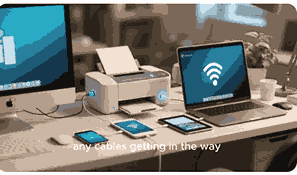
The ability to print directly from your camera to a printer has transformed how photography enthusiasts, professionals, and casual users handle their photos. Instead of waiting to transfer images to a computer, direct printing allows you to enjoy instant, high-quality prints at home, in the studio, or even on the go. This process saves time, simplifies workflows, and helps preserve image quality without additional editing or compression. With the right printer and compatible camera, you can create prints that look vibrant, sharp, and professional without relying on third-party services or multiple devices.
What Is A Printer?
A printer is an electronic device that converts digital files into physical documents or images on paper, photo paper, or other media. Printers can connect to computers, smartphones, cameras, or even cloud storage systems. They are widely used in offices, schools, businesses, and homes. For photographers, printers are essential for producing high-quality photo prints. Modern printers support a wide range of connectivity options such as USB, Wi-Fi, Bluetooth, PictBridge, and memory card slots, making them more versatile than ever. With the right features, a printer can directly accept images from a camera without needing a computer.
How Direct Printing From A Camera Works
Direct printing from a camera typically uses technologies like PictBridge, wireless connectivity, or memory card slots built into the printer. With PictBridge, cameras can connect to printers through a USB cable for instant photo transfers. Wireless-enabled cameras can print via Wi-Fi, allowing users to send photos straight to a compatible printer. Some printers even have SD card readers, letting you remove the memory card from your camera and insert it directly into the printer. Each method is designed for convenience, offering fast access to physical prints without additional devices.
Benefits Of Printing Directly From A Camera
Printing directly from a camera provides many advantages for photographers and everyday users. It saves time by cutting out the computer transfer process and makes printing simple for those who prefer a direct workflow. The quality of prints is often enhanced, as the printer uses the original camera data without compression or editing losses. Direct printing also improves portability, especially with compact photo printers designed for instant snapshots. Additionally, it provides an immediate way to share photos with friends, family, or clients during events, gatherings, or professional shoots.
Types Of Printers That Support Direct Camera Printing
Not all printers can print directly from cameras, so choosing the right one is essential. Inkjet photo printers are most common, delivering detailed, high-resolution images with vibrant colors. Portable photo printers, often battery-powered, are designed for mobility and instant results. Many professional-grade printers include PictBridge support and wireless printing features. Some multifunction printers also support direct printing, combining scanning, copying, and photo printing. When selecting a printer, ensure it is compatible with your camera and supports direct connection methods like USB, Wi-Fi Direct, or memory card printing.
Cameras Compatible With Direct Printing
Most modern digital cameras, including DSLRs, mirrorless models, and even advanced compact cameras, support direct printing. PictBridge-compatible cameras remain popular, while Wi-Fi-enabled cameras allow wireless printing to compatible printers. Some manufacturers, such as Canon, Nikon, and Sony, offer seamless integration with their own printer models. Additionally, cameras with Bluetooth connectivity can print to compatible photo printers without cables. Compatibility is essential, so users should check both the camera and printer specifications to ensure smooth direct printing without compatibility issues.
Connection Methods Between Cameras And Printers
There are several ways to connect a camera directly to a printer. USB connections remain reliable and widely supported through PictBridge. Wi-Fi connections allow wireless transfer, letting you print from anywhere within range. Bluetooth connections are best for quick, cable-free transfers over short distances. Some printers also include NFC (Near Field Communication) technology, enabling a one-touch connection with compatible cameras. Memory card slots are another option, allowing you to remove the card from your camera and plug it directly into the printer. Each method varies in speed, convenience, and quality.
Advantages Of Wireless Camera Printing
Wireless camera printing is becoming more popular thanks to its flexibility and convenience. It eliminates the need for cables and makes printing possible from anywhere within the Wi-Fi range. This method is particularly useful in professional settings where photographers need to quickly provide clients with high-quality prints. Wireless printing also supports printing from multiple devices, including smartphones and tablets, in addition to cameras. It reduces clutter, increases mobility, and makes it easier to print on demand without setup delays.
Disadvantages Of Printing Directly From A Camera
While direct camera printing has many benefits, it also comes with drawbacks. Limited editing options are one challenge since most cameras only allow basic adjustments before printing. Printer compatibility is another issue, as not all printers support direct camera connections. Printing speed may also be slower, especially with high-resolution images. Additionally, some direct printing methods may reduce image quality if not properly configured. Cost is another factor, as specialized photo printers and paper can be expensive compared to standard printing.
How To Choose The Right Printer For Direct Camera Printing
Choosing the best printer for direct camera printing depends on your needs. For home use, compact inkjet or portable photo printers are ideal. Professionals may prefer high-end photo printers with superior color accuracy and resolution. Look for printers with multiple connectivity options, including Wi-Fi, USB, and memory card support. Consider print speed, ink quality, and paper compatibility as well. Reading product reviews and checking manufacturer compatibility lists can help ensure that your camera and printer will work seamlessly together.
Steps To Print From A Camera To A Printer
Printing from a camera is straightforward once you have the right setup. First, check if your printer and camera are compatible through PictBridge, Wi-Fi, or memory card slots. Next, connect the devices using the selected method. On the camera, select the image you want to print and choose the print option. Adjust print settings like size, quality, and paper type if available. Finally, confirm the print, and the printer will produce your photo. With practice, this process becomes simple and quick.
Common Issues With Direct Camera Printing
Some users experience challenges when printing directly from a camera. Connectivity problems, such as faulty cables or weak wireless signals, are common. Printers may also fail to recognize certain camera models due to compatibility issues. Print quality can suffer if settings are not adjusted properly. Another common issue is paper jams, especially when using specialized photo paper. Updating printer firmware and using the correct drivers can help solve many problems. Ensuring your devices are properly configured reduces printing errors and improves results.
Direct Printing Versus Computer Printing
Direct printing from a camera is convenient, but printing through a computer offers more flexibility. Computers allow for detailed editing, color correction, and resizing before printing. They also support a wider range of printer drivers and software. Direct printing, on the other hand, is faster and simpler, ideal for users who want instant prints without editing. The choice between the two depends on whether convenience or control is more important. Many photographers use both methods depending on the situation.
Best Paper Types For Direct Photo Printing
The type of paper used in direct printing affects the final output. Glossy photo paper is popular for its vibrant colors and sharp detail. Matte paper provides a softer, professional look with reduced glare. Semi-gloss and luster papers offer a balance between the two. Some printers also support specialty papers such as canvas or fine art media. Choosing the right paper depends on personal preference and the type of image being printed. Always ensure the paper is compatible with your printer for best results.
The Role Of Pictbridge In Camera Printing
PictBridge is a widely used technology that allows cameras to connect directly to printers using a USB cable. It provides a standardized method for printing photos without needing a computer. Many digital cameras and photo printers include PictBridge support, making it a reliable option for direct printing. Users can select images on the camera, adjust basic settings, and print instantly. Although newer wireless technologies are becoming more popular, PictBridge remains a dependable choice, especially for older devices.
Conclusion
Direct camera-to-printer printing offers speed, simplicity, and quality, making it a valuable option for photographers and casual users alike. Whether using PictBridge, wireless connections, or memory card slots, the process provides instant results and eliminates unnecessary steps. While it may lack advanced editing options, it is ideal for quick, on-demand printing. By choosing the right printer, camera, and connection method, users can enjoy high-quality prints with minimal effort. This technology continues to evolve, making direct printing more accessible and versatile than ever.
Frequently Asked Questions
1. Can I Print Directly From My Camera To A Printer?
Yes, you can print directly from your camera to a printer if both devices support the right connectivity options. Technologies such as PictBridge allow USB connections for quick and easy printing. Many modern printers also support wireless printing from Wi-Fi-enabled cameras, while some include memory card slots that let you print photos without cables. This eliminates the need for a computer, making the process faster and more convenient. However, not all printers or cameras support direct connections, so it is important to check compatibility before attempting to print.
2. What Types Of Printers Support Direct Camera Printing?
Printers that support direct camera printing include photo inkjet printers, compact portable printers, and multifunction printers with photo printing capabilities. Many models feature USB connections compatible with PictBridge, while others support wireless printing from Wi-Fi-enabled cameras. Portable photo printers are popular for quick, on-the-go prints, often used at events and gatherings. Professional-grade printers with high-resolution output also frequently support direct printing. When choosing a printer, it is crucial to check compatibility with your specific camera model and ensure that it supports direct connectivity options.
3. How Does Pictbridge Help In Direct Printing?
PictBridge is a standardized technology that allows digital cameras to connect directly to printers using a USB cable. It eliminates the need for a computer by letting users select and print images straight from the camera. With PictBridge, you can adjust basic settings like print size, layout, and number of copies directly from your camera interface. This feature is highly reliable and widely supported by many cameras and printers, especially those from major brands. While wireless technologies are growing in popularity, PictBridge remains a convenient and dependable method for direct printing.
4. Can I Print Wirelessly From My Camera To A Printer?
Yes, many modern cameras and printers support wireless printing through Wi-Fi or Bluetooth connections. Wi-Fi-enabled cameras can send photos directly to compatible printers without needing cables. Bluetooth-enabled printers allow short-range, cable-free printing from certain cameras. Wireless printing is highly convenient because it allows flexibility and reduces clutter, enabling you to print from anywhere within range. However, the speed and quality of wireless printing can vary depending on the devices and network strength. Compatibility between the camera and printer should always be checked before use.
5. Do All Cameras Support Direct Printing To A Printer?
Not all cameras support direct printing to a printer. While many modern digital cameras, DSLRs, and mirrorless models offer features like PictBridge, Wi-Fi, or Bluetooth for direct connections, some older or entry-level cameras may not. Compatibility depends on the manufacturer’s design and included technology. Users should check their camera’s manual or specifications to confirm support for direct printing. If the camera does not support direct connections, alternatives include using a computer or transferring images to a mobile device that can connect to the printer.
6. What Are The Advantages Of Printing Directly From A Camera?
Printing directly from a camera offers convenience, speed, and simplicity. It eliminates the need to transfer images to a computer, saving time and reducing extra steps. Since the printer often uses the original image data from the camera, the output is sharp and high quality. Direct printing is also beneficial for events, where instant photo prints are needed. Additionally, portable photo printers paired with cameras allow on-the-go printing, making it easy to share physical photos with friends, family, or clients immediately.
7. What Are The Disadvantages Of Printing Directly From A Camera?
Although direct printing is convenient, it comes with limitations. One disadvantage is the lack of advanced editing features since cameras typically only allow basic adjustments like cropping or rotation before printing. Compatibility can also be an issue, as not all cameras and printers support direct connections. Printing speed may be slower for high-resolution images, and specialized photo printers or paper can be costly. Furthermore, wireless connections may sometimes suffer from interference or lag, leading to inconsistent results compared to printing through a computer.
8. Which Cameras Work Best With Direct Printing?
Cameras that work best with direct printing are those equipped with PictBridge, Wi-Fi, or Bluetooth capabilities. Popular brands like Canon, Nikon, and Sony design many of their cameras with seamless compatibility for their printer models. Wi-Fi-enabled DSLRs and mirrorless cameras are particularly effective for high-quality wireless printing. Some compact digital cameras also support quick direct printing. Choosing a camera with built-in connectivity features ensures smooth operation when paired with compatible printers, allowing you to print instantly without relying on third-party devices.
9. Can I Print From A Camera Without Using A Computer?
Yes, you can print from a camera without using a computer if your devices support direct printing. Printers with PictBridge, Wi-Fi Direct, or memory card slots allow you to send images directly from your camera to the printer. This process bypasses the need for a computer and is ideal for quick, hassle-free printing. However, printing without a computer means you have limited editing options, as most adjustments must be made on the camera itself. Still, it provides convenience for instant photo sharing and printing.
10. How Do I Connect My Camera To A Printer?
You can connect your camera to a printer using several methods. The most common is through a USB cable with PictBridge support. Many cameras and printers also support Wi-Fi connections, enabling wireless printing within a shared network. Bluetooth offers short-range connections for cable-free printing. Additionally, some printers feature memory card slots where you can insert your camera’s SD card directly. Each connection method has its benefits, and the right choice depends on the type of camera and printer you own.
11. What Paper Should I Use For Direct Camera Printing?
The choice of paper significantly impacts the quality of direct camera printing. Glossy photo paper is commonly used for sharp, vibrant images with bright colors. Matte paper is better for a professional finish with reduced glare, making it ideal for portraits. Semi-gloss or luster paper offers a balance of both. Some printers also support specialty papers like fine art or canvas for creative prints. Always use paper recommended by the printer manufacturer for the best results, as compatibility ensures optimal ink absorption and print quality.
12. Can Smartphones Print Directly To Printers Like Cameras?
Yes, smartphones can print directly to printers in much the same way cameras do. Many modern printers support wireless printing through apps, Wi-Fi Direct, Bluetooth, or cloud-based services. Just like cameras, smartphones can send images straight to the printer without requiring a computer. In fact, smartphones often offer more flexibility since users can edit photos with apps before printing. With mobile printing apps from brands like Canon, HP, or Epson, the process becomes even more streamlined, making smartphone-to-printer printing extremely popular.
13. Is Direct Camera Printing Better Than Computer Printing?
Direct camera printing is better for speed, convenience, and simplicity, while computer printing offers more control and flexibility. Direct printing is ideal for instant results at events, gatherings, or quick personal use. On the other hand, printing via a computer allows you to edit, resize, and color-correct images before printing, ensuring maximum accuracy and customization. Both methods have their advantages, and the choice depends on whether convenience or detailed editing is the priority. Many photographers use both options depending on the situation.
14. Can I Use Memory Cards To Print Photos Directly?
Yes, many printers feature built-in memory card slots that allow you to print photos directly without a camera or computer. By inserting your camera’s SD or CF card into the printer, you can select images on the printer’s display screen and print instantly. This method is convenient for users who want fast results without transferring files. However, not all printers support memory cards, and available features like cropping or resizing may be limited. Always check your printer’s manual to confirm compatibility with your card type.
15. Are Portable Photo Printers Good For Direct Camera Printing?
Portable photo printers are excellent for direct camera printing, especially for users who want mobility and instant results. These small, lightweight printers often connect to cameras via Wi-Fi, Bluetooth, or USB. They are perfect for events, travel, and social gatherings where quick photo sharing is essential. Although they may not match the resolution or size options of full-sized photo printers, portable printers provide convenience and ease of use. Many models also support smartphone printing, adding extra flexibility for everyday users.
16. How Can I Improve The Quality Of Direct Camera Prints?
To improve the quality of direct camera prints, start by using the highest resolution settings on your camera. Choose the right type of photo paper, such as glossy for vibrant colors or matte for a professional finish. Always use original printer ink cartridges to ensure color accuracy. Calibrate your printer settings for paper type and print size before printing. Avoid low-light or blurry shots, as these will affect the final print quality. Properly maintaining your printer with regular cleaning also helps ensure sharp, consistent results.
17. Do Professional Photographers Use Direct Camera Printing?
Yes, professional photographers sometimes use direct camera printing, especially for events where clients expect instant photos, such as weddings, parties, or conferences. Portable photo printers paired with high-quality cameras allow professionals to deliver prints on the spot. However, for larger projects requiring editing and precision, professionals typically prefer computer printing to fine-tune images. Direct printing is valued more for speed and convenience than for detailed control, making it a complementary option rather than a complete replacement for traditional workflows.
18. What Are The Common Issues With Wireless Camera Printing?
Wireless camera printing can sometimes face challenges like weak Wi-Fi signals, interference, or compatibility mismatches between the camera and printer. Bluetooth connections may also be slower or less stable for high-resolution prints. Additionally, setting up wireless connections can be complicated for first-time users. Print quality may vary if settings are not optimized correctly. To minimize these issues, ensure both devices are updated with the latest firmware, use a strong network, and follow manufacturer guidelines. Proper setup and maintenance usually solve most wireless printing problems.
19. Can Printers Print Videos Or Only Photos From Cameras?
Printers cannot print videos directly from cameras; they are designed to print still images only. However, many modern cameras allow you to capture still frames from video recordings, which can then be printed directly. Some editing software also lets you extract high-quality frames from videos, which can be saved as photos and sent to the printer. The quality of these prints depends on the video resolution. While not as sharp as regular photos, they still provide a way to capture and print memorable video moments.
20. What Features Should I Look For In A Printer For Direct Camera Printing?
When choosing a printer for direct camera printing, prioritize models that support multiple connection methods like Wi-Fi, USB, and memory card slots. Look for high-resolution printing capabilities, ideally 4800 dpi or higher, for detailed photos. Compatibility with glossy, matte, and specialty photo paper adds flexibility. Compact size and portability are useful for on-the-go printing, while professional models should offer advanced color accuracy and larger print sizes. Always check compatibility with your camera brand and ensure the printer supports direct connection features like PictBridge.
Further Reading
- What Is The Best Printer For Small Business? | Top Office Printers, Features, And Buying Guide
- How To Add A Wireless Printer To Your Computer | Easy Setup, Step-By-Step Guide For Windows And Mac
- What Is The Difference Between Printer Ink And Toner? | Printer Ink Vs Toner Explained For Better Printing Results
- Why Is My Printer Saying Low Ink After Refill? | Printer Ink Troubleshooting And Solutions For Better Printing
- How To Print Securely On A Shared Printer | Safe Printing Practices For Data Protection And Privacy
- How To Install A Printer On A Chromebook | A Step-By-Step Guide To Connect Printers On Chromebook
- What Is A Printer Toner Cartridge? | Definition, Function, Types, Maintenance, Cost, And Benefits Of Printer Toner Cartridges
- How To Fix Printer Error Codes | Troubleshooting And Solutions For Printer Problems
- How To Fix Printer Paper Feed Problems | Troubleshooting Guide For Printer Paper Jams And Feeding Errors
- Why Is My Printer Printing Half Pages? | Fixing Printer Issues For Clear And Complete Prints